
The till that already knows how your shop runs
Sellify runs the counter, the kitchen, the stock room and the phone from one place. It files tax the way your authority wants it, closes the day at 7am like you do, and keeps selling when the internet does not.
Free trial on every plan · No card needed · We set it up with you
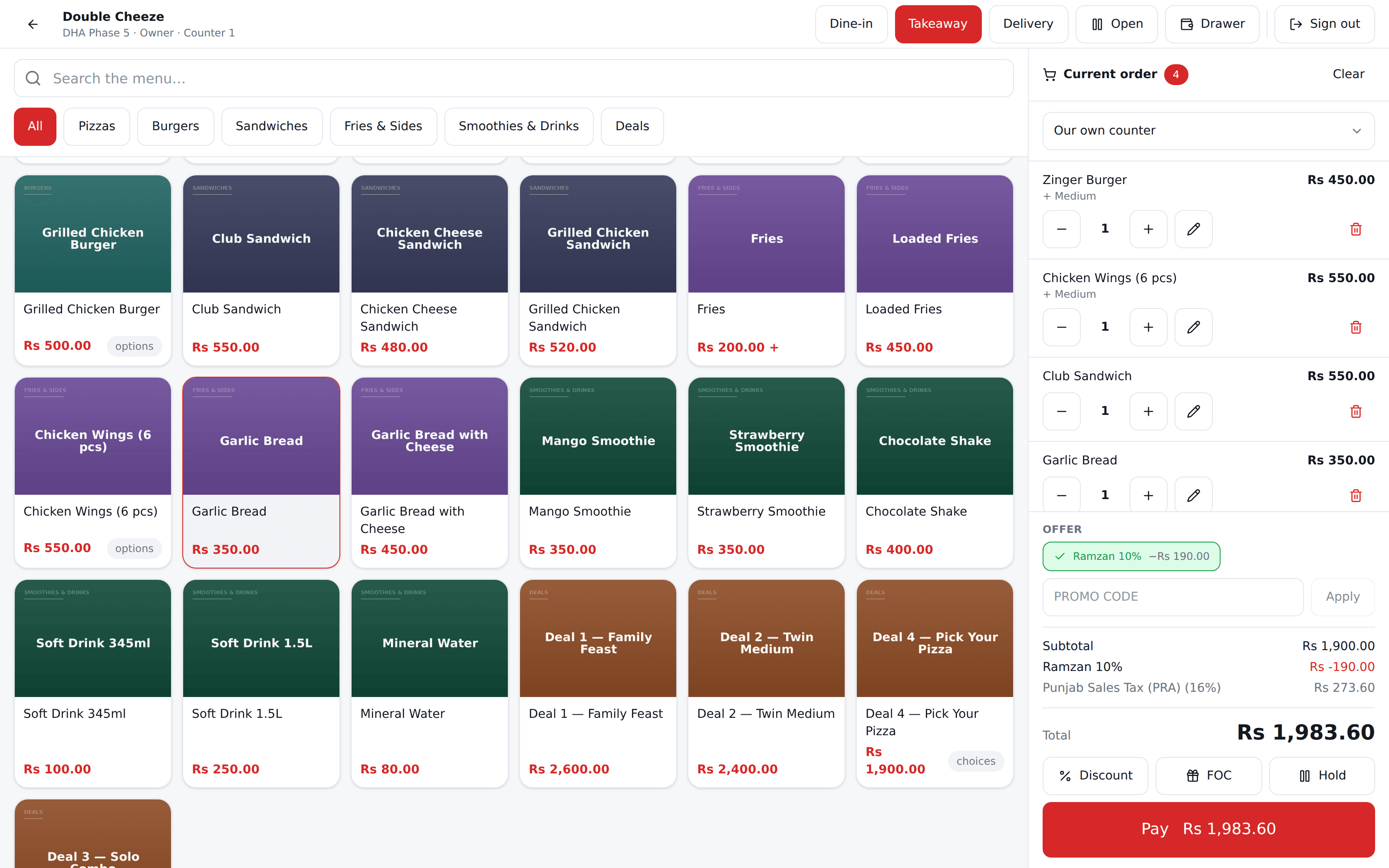
- Business day, not calendar day
- Tax per branch — PRA · SRB · FBR
- Sells offline
- Food cost per dish
- Never oversells
- Foodpanda settlements
Why another POS
Most POS software was written for a shop somewhere else
Then it was translated, a tax field was bolted on, and the rest was left for you to work around. Sellify starts from how a real shop trades — the hours it keeps, the tax it files, and the connection it does not always have.
Your authority, your rate
PRA in Punjab, SRB in Sindh, FBR elsewhere — or whatever yours is called. Tax is set per branch, at your own rates, because a chain whose branches answer to two different authorities is normal rather than an edge case. Cash and card go at their own rates, and a split bill blends them.
A day that ends at 7am
Your kitchen closes at 2am. A calendar day would file that sale on tomorrow and ruin every report you read. Sellify runs 7am to 7am — you set the hour — and every figure in the system agrees on it.
The connection will drop
It always does, usually on a Friday night. The Android till prices, prints and queues without a network and reconciles the moment it is back. A dead router should not close a restaurant.
4
ways to read food cost
Dish, outlet, category, item
29
reports, Excel and PDF
Built server-side, so an export never disagrees with the screen
0
money worked out in the browser
Every figure comes from the server
7am
when your day starts
Per branch, and every report obeys it
For restaurants
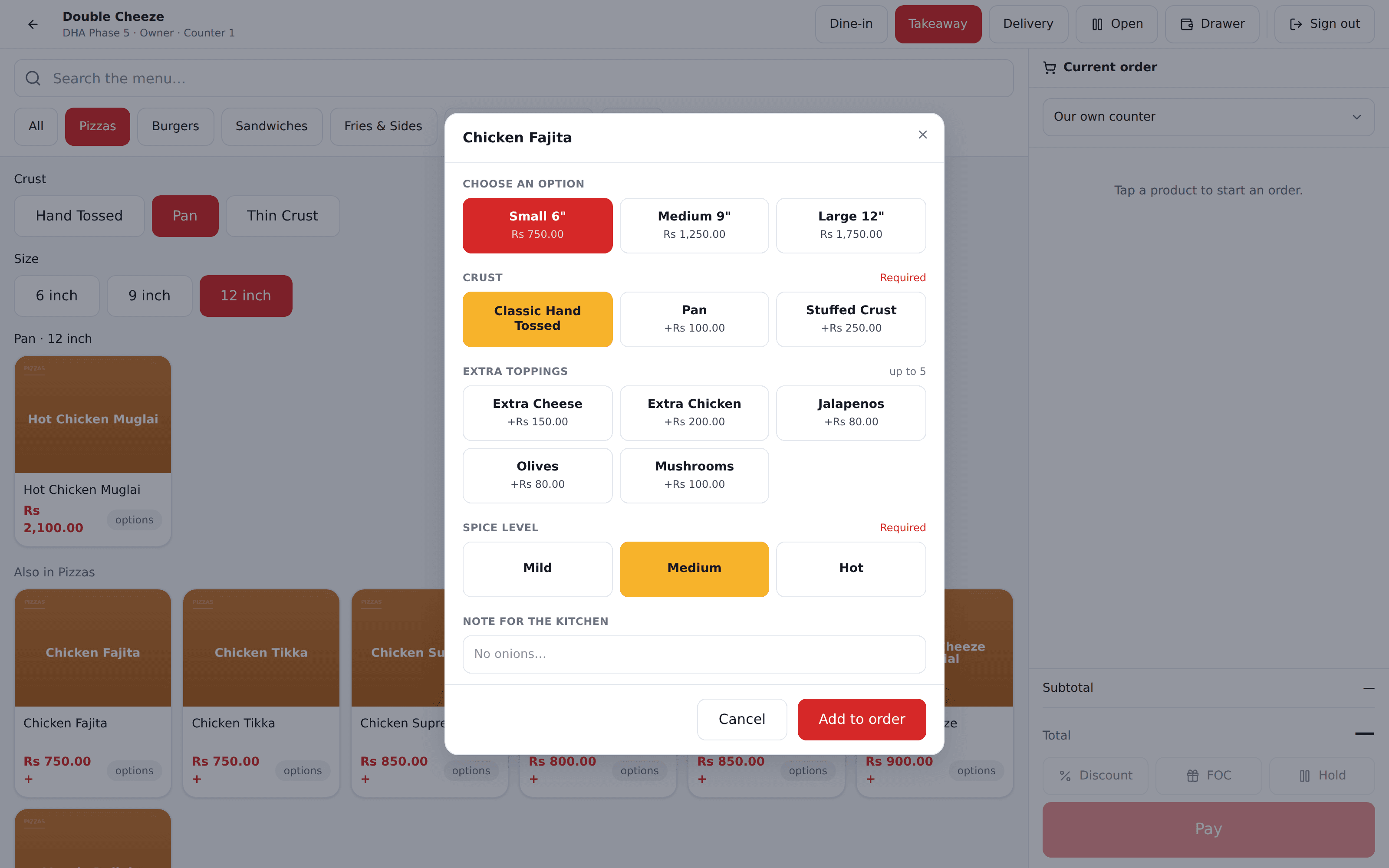
Ask the crust, the size and the toppings — once
A pizza is not one product. Sellify knows a Pan 12" is a different dish from a Thin 12", with its own price and its own recipe — and that extra cheese is priced one way on a 9 inch and another on a 16.
Browse by crust, then size, then flavour
Instead of forty-eight buttons for one pizza.
Options that cost the shelf too
Extra cheese charges the customer and takes cheese off the stock.
Deals the cashier answers at the till
“Any 9 inch pizza” is one rule, not forty rows to maintain.
Kitchen slips by station
The grill gets grill items, the bar gets drinks — with no prices on the paper.
For retail and grocery
Scan it, and the rest is already done
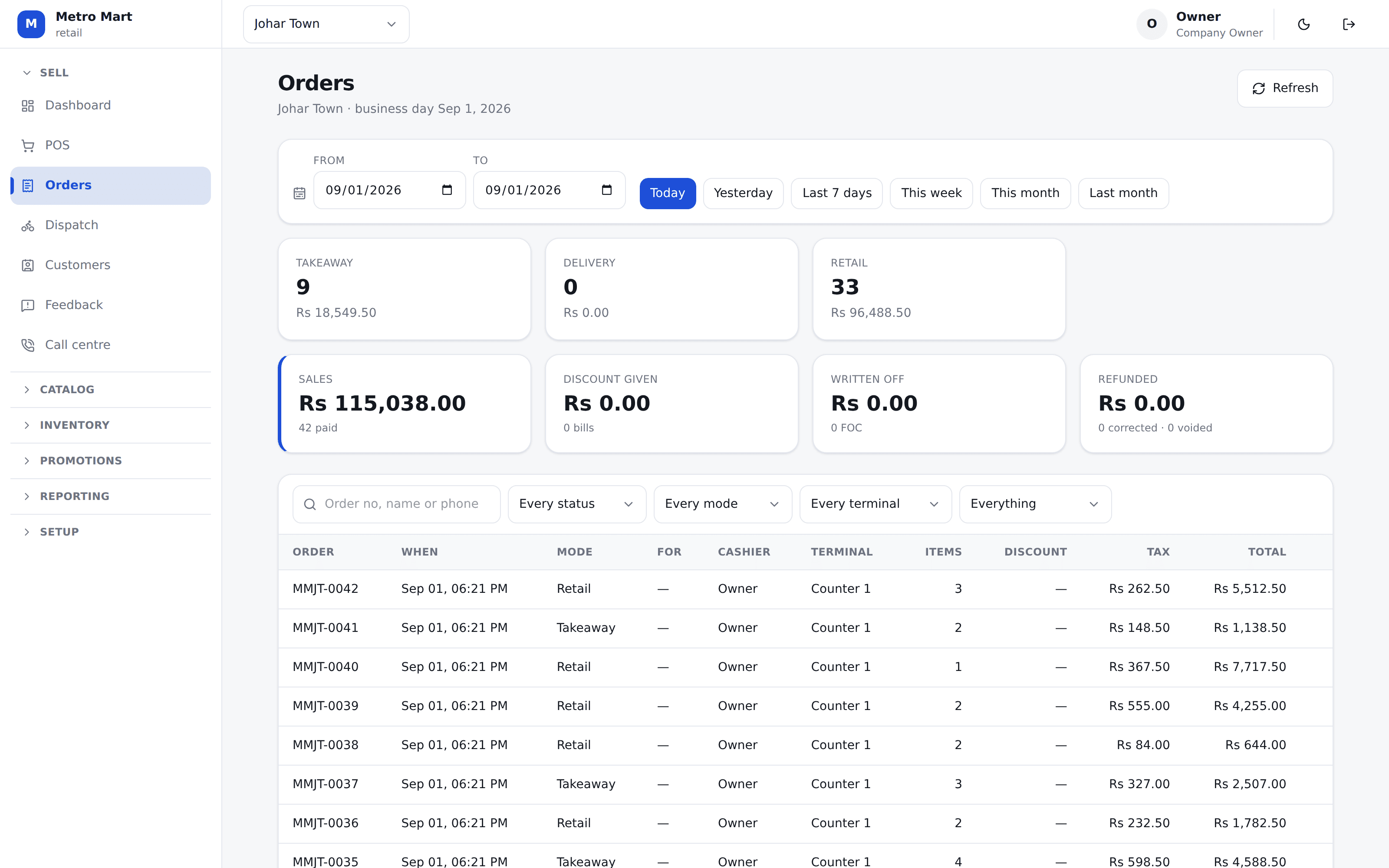
Any USB or Bluetooth scanner works the moment you plug it in. Size and colour come as a matrix, not as forty separate products, and the shelf never lets you sell what is not there.
Barcodes per variant
Scanning the 500ml never lets the till decide it was the 1.5 litre.
A price somebody agreed
Loose goods, a damaged carton, a wholesale line — with a record of who set it, and never below cost.
Purchases that carry freight
Other charges are spread across the lines by value, so cost is what you really paid.
Import your catalog from Excel
Products, items, suppliers and opening stock — validated before a single row is written.
One system
The counter is only where it starts
Every part below reads the same sale — so a figure never has to be typed twice, and two screens can never disagree about what happened.
Point of sale
Dine-in, takeaway, delivery and counter. Holds, table numbers, splits, discounts, FOC and manager approval by PIN.
Inventory
Purchases, transfers, counts, wastage and production, on a ledger with the branch’s own weighted average cost.
Recipes & food cost
Ingredients in grams, wastage per line, prep items that explode through their own recipe.
Kitchen tickets
By department, on the station’s own roll, with every modifier and deal component spelled out.
Call centre & delivery
Areas, delivery charges and promises, rider dispatch, and the cash each rider comes back with.
Reports
Sales, tax, food cost, stock, delivery, staff and customers — every one exports as Excel and PDF.
Multi-branch
Stock and cost per branch, transfers between them, and a commissary that issues to the shops.
Terminals & shifts
Each till is a device we approve. One cashier at a time, a drawer counted at open and at close.
Android app
The same till on a tablet or a Sunmi terminal, with offline selling and a printer in the box.
Reports
Figures you can hand to your accountant
Every report is built on the server and exports as both Excel and PDF from that same build — so what you print can never disagree with what was on screen.
And a report will not flatter itself. A dish with no recipe is reported separately rather than costed at zero. A delivery nobody promised a time for stays out of the on-time percentage instead of dragging it up. Where a column can be read the wrong way, the bad direction is the one that shows red.
See the report list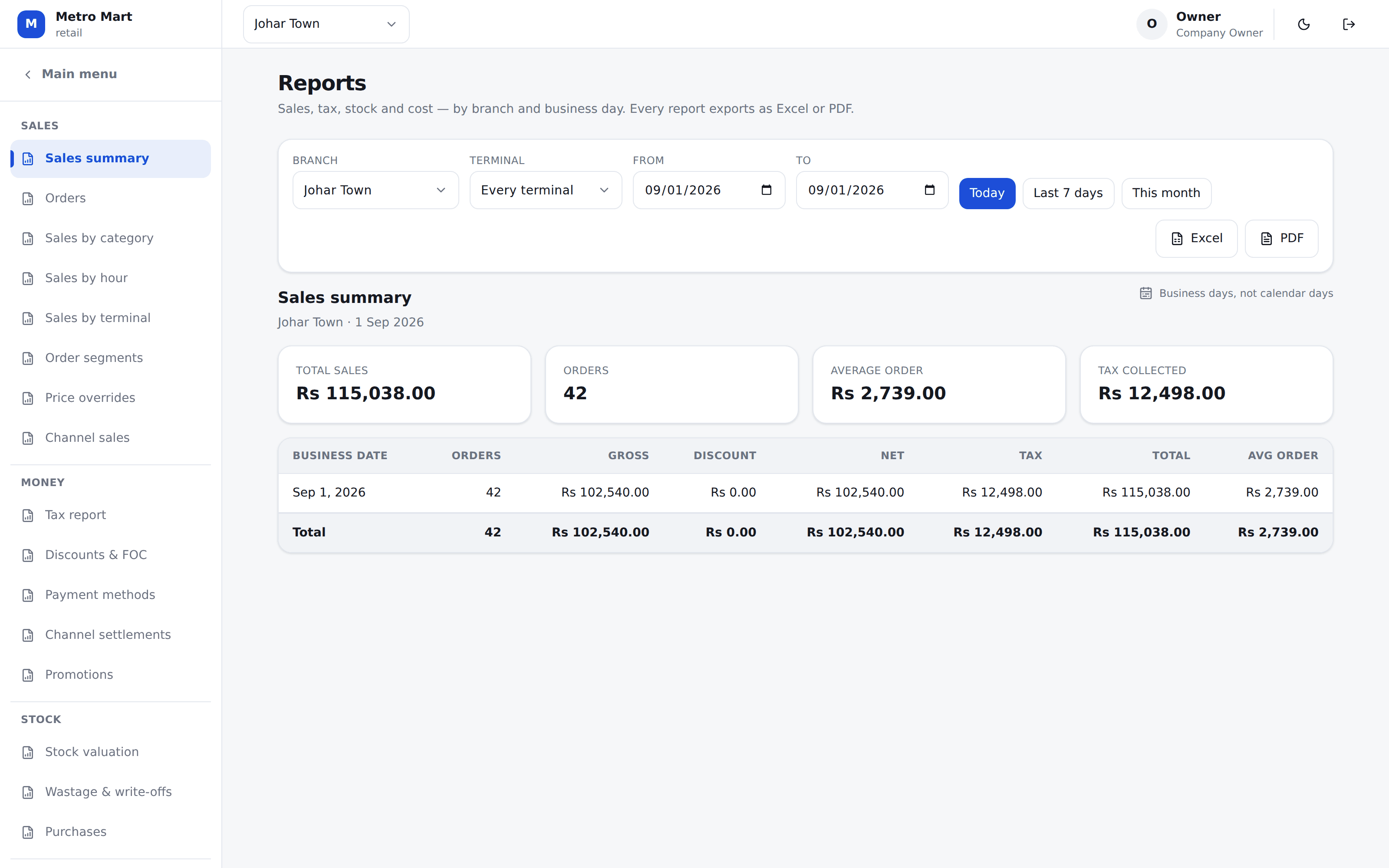
Questions
The things people ask us on the phone
Does Sellify work if my internet goes down?
Yes. The Android till keeps selling with no connection at all — it prices the cart from a snapshot of your menu and taxes, prints the receipt, and queues the sale. When the connection comes back, every queued sale uploads and the server re-prices it from the item IDs. If anything disagrees, the sale is saved at the server figure and flagged for a manager instead of being quietly absorbed. Promo codes and manager approvals still need the internet, and the till says so in plain words rather than showing a dead button.
Will it file tax the way my authority wants it?
Yes, and it is set per branch — PRA in Punjab, SRB in Sindh, FBR elsewhere, and whatever yours is called if you are not in Pakistan. Taxes are configured at company level with per-branch overrides, because a chain can have two outlets answering to two different authorities. Every branch carries its own tax registration numbers. The payment method picks the rate — cash and card are often filed at different percentages — and a split payment blends the two by how much was paid each way, then reports the tax split by method for your filing. Every rate is yours to edit, per company and per branch; nothing is hardcoded and no rate we ship is advice.
My day does not end at midnight. Does the software understand that?
It does. Every branch sets its own business day start, 7am by default, so a sale rung at 2am belongs to the previous day — where the cashier and the accountant both expect it. Every report, every day close and every Z report reads that same business day. Nothing in Sellify uses the calendar date for a daily figure.
Can it tell me what each dish actually costs me?
That is one of the main reasons restaurants buy it. Write the recipe once — in grams and millilitres, with wastage — and every sale deducts the ingredients rather than the dish. The food cost report then reads four ways off the same figures: per dish, per outlet per day with a city roll-up, per stock category, and item by item against your own counted closing. A dish with no recipe is reported separately instead of being costed at zero and quietly dragging your percentage down.
We get orders from delivery apps. How does that work?
You add each platform as a channel — Foodpanda, Bykea, your own website, anything else you take orders through — with its commission rate and how it pays you. The order is rung on your own till, but it never touches your cash drawer — the platform is holding that money, so the drawer stays honest. Later you record what they actually paid, and Sellify shows the gap between what they owed and what arrived, per period, per channel.
See it on your own menu
Twenty minutes on a call. We will set your products, your taxes and your branch up while you watch, and you can ring a real sale on it before you decide anything.
No card needed. We set your company, your first branch and your login up in one go.