
For retail, grocery and wholesale
Scan it, sell it, and the shelf already knows
Kiryana stores, supermarkets, pharmacies, garment shops, mobile accessories, hardware. One counter, one stock ledger, and a till that will not let you sell what is not there.
The counter
Fast enough for a queue
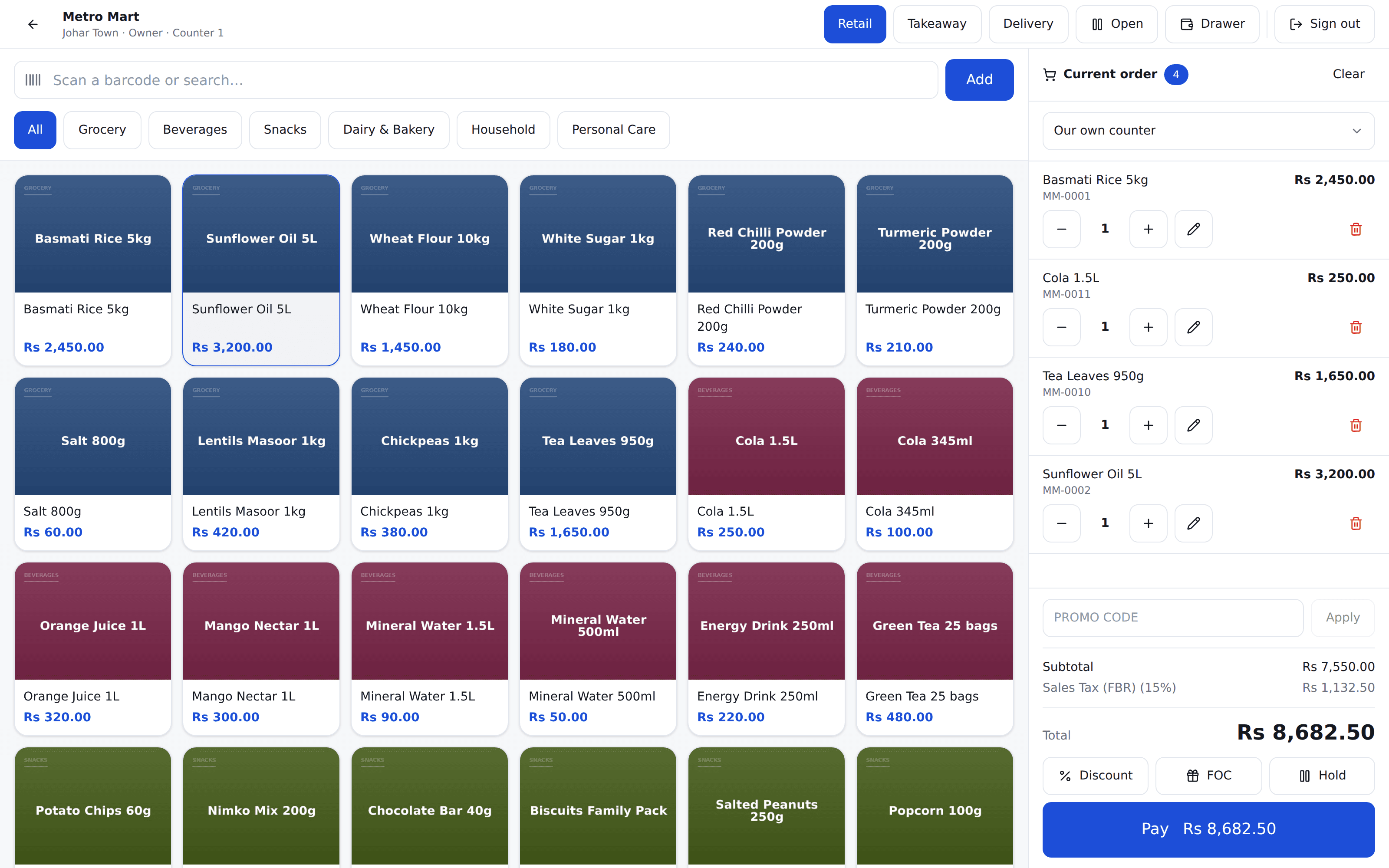
The scan box has focus the moment the screen loads. Any USB or Bluetooth scanner works with no setup — the till can tell a scanner from a cashier by how quickly the characters arrive.
Item code on every cart line
So "which one is that?" is answered from the cart instead of another screen.
Browse by aisle when there is no barcode
Loose goods, a new line nobody has labelled yet, a customer pointing at a shelf.
A price somebody agreed
Damaged stock, a wholesale line, goods weighed out. Whoever you allow can type it, it is never below cost, and every one is on a report.
Hold a bill and take the next customer
Come back to it when they find their wallet.
Stock
A shelf you can actually trust
Every movement is a row on a ledger — purchases, transfers, counts, wastage — with the branch’s own weighted average cost sitting beside it.
Nothing is ever oversold
Two tills selling the last unit at the same instant is settled by the database. The second reads an empty shelf and is refused before money moves.
Cost per branch, not per company
One outlet buying cooking oil dear does not move another outlet’s margin. A transfer carries the sending branch’s cost with it.
Purchases that add up to the bill
A supplier prices 500g as a lump sum, not as a rate per gram. Type whichever the bill gives you — the line always totals what you actually paid, however the rate rounds.
Freight lands in the cost
Other charges are spread across the lines by value, so what an item cost you includes getting it there.
Corrected, never quietly edited
A received purchase is reopened with a reason. Every ledger row it wrote is reversed at the cost the goods came in at, and the whole thing is audited.
Counts post only the variance
One ledger row per item, against what was expected when the sheet was opened.
Your catalog
Size × colour, not forty products
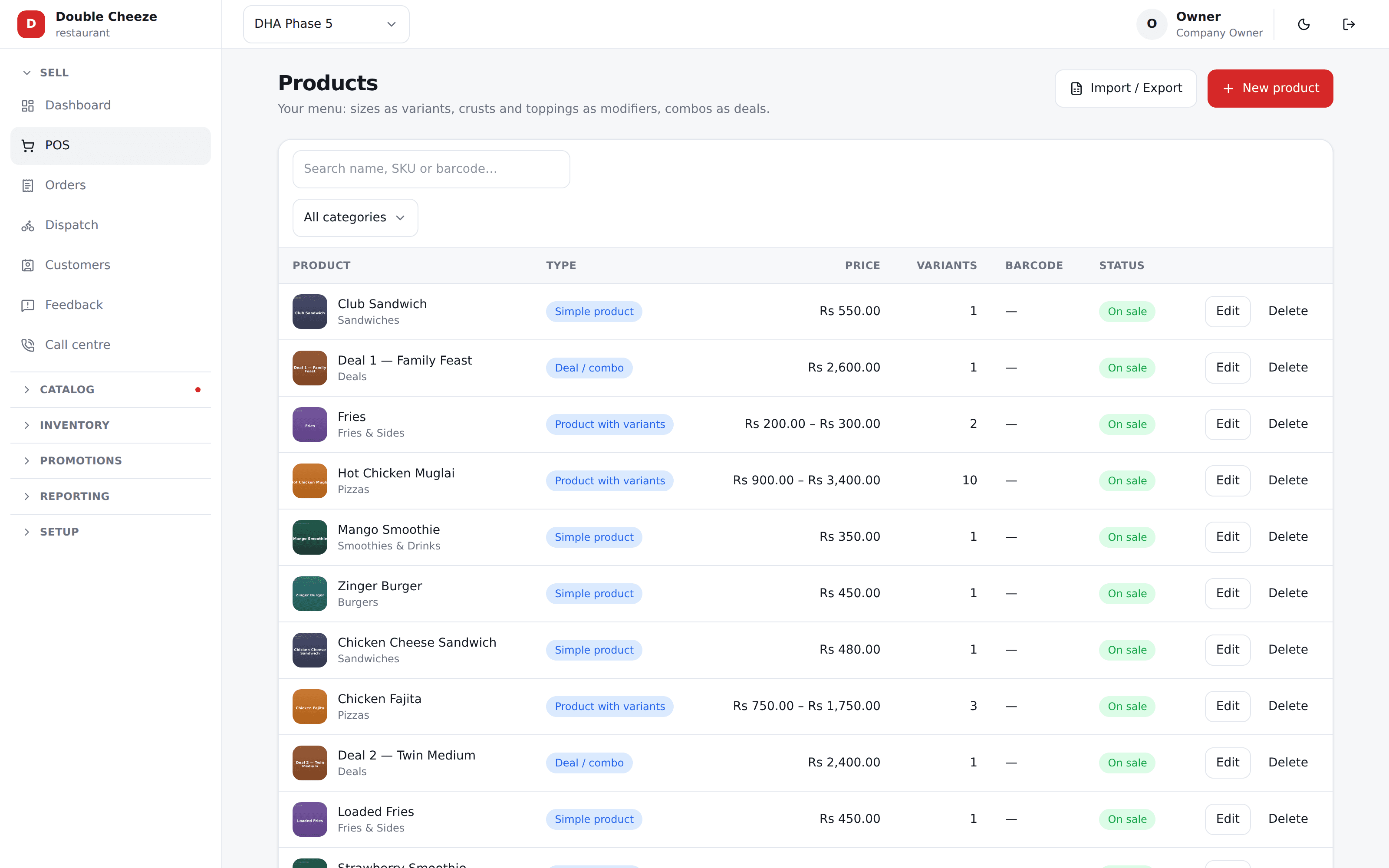
A shirt in three colours and four sizes is one product with a matrix behind it. Tick the cells you actually stock; the ones you do not simply are not there.
Every cell has its own barcode and price
Scanning the Red Small can never ring up the Red Large.
Retiring a cell keeps its history
Past sales still point at what they sold. Tick it again and the same row comes back, with its stock item and its ledger.
Import the whole thing from Excel
Products with their variants, items, suppliers, opening stock. Every row is checked and the failures listed before anything is written.
Export the same columns back
Edit in Excel, import again. That round trip is the one shops actually do.
Closing up
The drawer adds up, or you know why
Count at open, count at close
The cashier declares the float and then the counted cash. The server works out what should be there.
Over and short, on the record
The variance goes on the Z report. Nobody is asked to do the subtraction, and nobody can quietly adjust it.
A closed day is closed
No sale, void or correction can land on it. Reopening takes a manager’s PIN and is recorded with the reason.
Your trade
Written for the shop you actually run
Pharmacies & medical stores
Batch and expiry on every strip, the nearest date sold first, and one report before it is too late.
Kiryana & general stores
The udhaar register done properly, loose goods by weight, and a till that does not stop when the light goes.
Bakeries
What a loaf costs in flour, what the morning bake really yielded, and what went unsold at closing.
Send us your item list
An Excel sheet, or even a photo of your price list. We will load it before the call so you can scan your own products on the first demo.
No card needed. We set your company, your first branch and your login up in one go.