
For bakeries
You bake in the morning and count losses at night
A bakery’s money is decided twice a day: what the bake actually yielded, and what was left on the shelf at closing. Sellify measures both — from the recipe, in grams, with the wastage counted rather than assumed.
What a loaf costs
In grams and millilitres, with the wastage in it
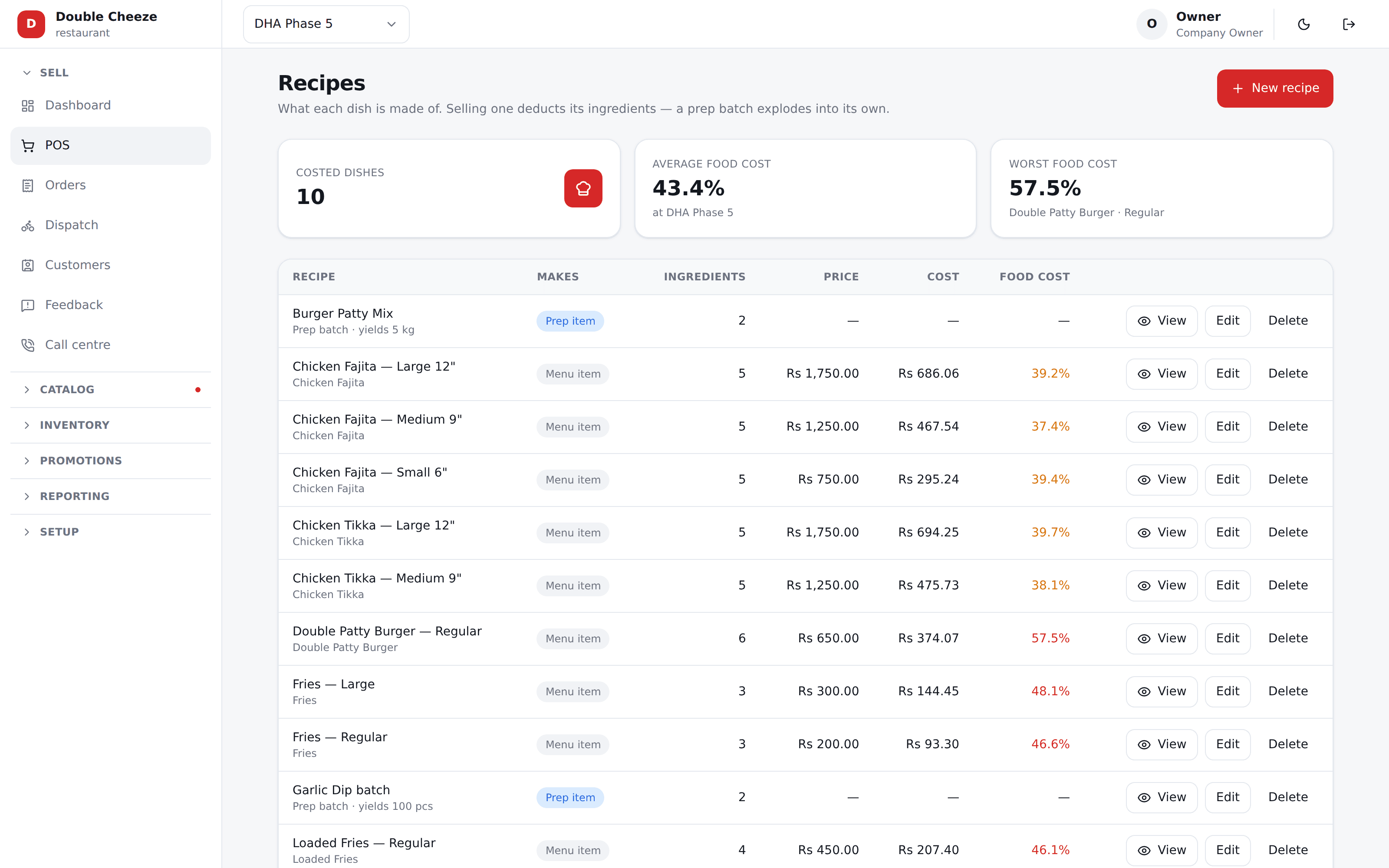
Write the recipe once. Flour, yeast, sugar, ghee, and the percentage that never makes it into the tin. Sellify converts it to the unit you buy in and costs it at what your branch actually paid.
Then a sale takes ingredients off the shelf, not a loaf off a list — so at the end of the week the flour that has gone and the bread that was sold are two figures you can hold against each other.
The bake
A batch that came out short makes the bread dearer, and says so
Production turns raw material into what you made. You enter what actually came out of the oven — and Sellify prices it from what went in, divided by what you really got.
The yield is measured, not assumed
The recipe said 40 loaves and 36 came out. The shortfall lands in the unit cost, because that is the truth about what a loaf cost you that morning.
Dough can be real stock, or notional
Keep dough in batches and it is stock you produce and draw down. Leave it notional and a sale explodes straight through to flour and oil.
Nobody types the cost
What you produced is priced by the server from what it consumed. A figure somebody typed is a figure somebody guessed.
One kitchen, several shops
Bake centrally, issue to the branches. The receiving shop takes your cost — or your issue price, if you sell to your own outlets at a rate.
Each shop’s own shelf
Quantity and cost are per branch, so the shop that took yesterday’s delivery is not costed on today’s flour price.
Custom orders print to the bench
A cake ordered for Thursday goes to the kitchen as a ticket with the note on it, and never with a price on it.
Orders for later
A cake for the 14th, with two thousand down
An advance order is not a sale yet — nothing has been baked and nobody owes tax on it. Sellify keeps it as a booking: the day it is wanted, what is on it, and what the customer has already paid.
The deposit is real money on the day it was taken
It goes in that day’s drawer and on that day’s declaration under its own heading — never buried inside the day’s sales, because the cake has not been made yet.
And it sits on the customer’s account
What was put down is on their ledger as an advance, so the balance answers "how much is still to come" without anybody doing subtraction at a counter.
It comes off the bill by itself
They collect on the 14th, the order is rung, and the two thousand is already against it. The drawer takes only what was really handed over that day.
The day still closes
A booking is not an unpaid order, so a cake for next Thursday never holds tonight’s day close open. That distinction is the whole reason it is a booking and not a parked sale.
A mistyped year is refused
A booking is the one thing in Sellify dated in the future, and 2027 instead of 2026 is silent — it parks a cake eleven months out of sight. It is caught while the customer is still standing there.
Cancelled is not the same as never turned up
Both are on the record and counted apart. Somebody who rang a week ahead did not waste your morning.
Closing time
What did not sell is a number, not a shrug
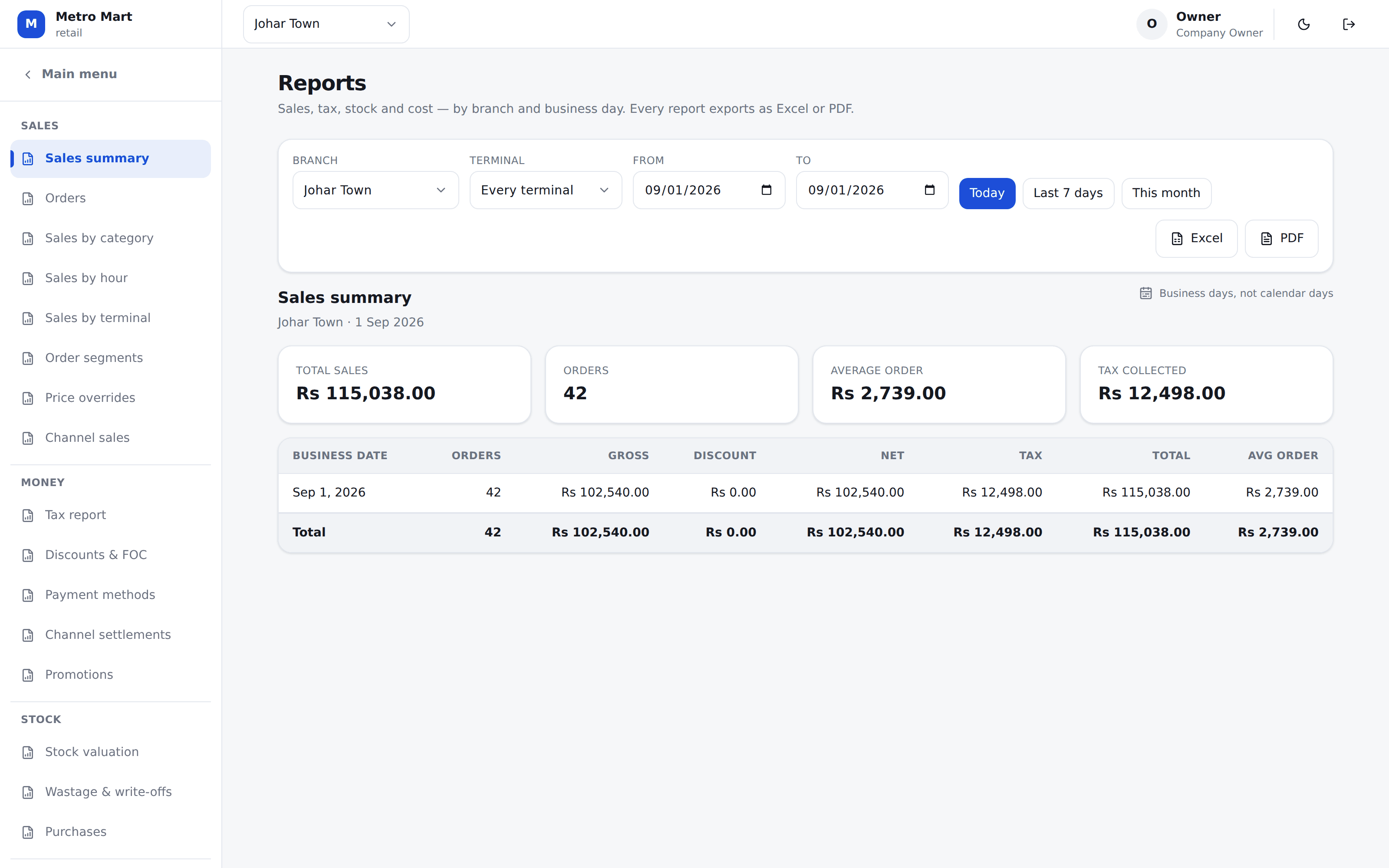
Day-old bread, a tray that burned, a cake nobody collected. Write it off against a reason and it is on the record — separately from what you sold, and separately from what a stock count found missing.
Wastage, damage, expiry and theft apart
Four reasons, four figures. A bakery that bakes too much and one with a hand in the till have very different problems and should not read the same.
What the sales should have used
Against what the shelf actually lost. The gap is what you are trying to find, and both sides are priced at the same cost so the difference is quantity and nothing else.
Expiring stock, for what you buy in
Cream, packaged goods, anything with a date on it — soonest first, with what each batch is worth.
Excel and PDF, from the same figures
Generated from what was on screen, so an export can never disagree with it.
Straight answers
What Sellify does not do for a bakery
Nobody is reminded but you
The diary holds the order, the collection date and what was put down. What it will not do is message the customer the day before — Sellify sends no SMS and no WhatsApp, so somebody in the shop still reads the list each morning.
No nutrition or allergen labelling
Recipes exist to cost your product and to take stock off the shelf. They do not print an ingredients label.
SRB filing is live; FBR and PRA are built
Tax itself is real and set per branch — PRA, SRB, FBR, or whichever authority you file with. Restaurants file every sale with SRB through Sellify today, with the SRB invoice number and QR code on the receipt. The FBR and PRA connections are built on the same platform and switched on per branch, but no shop of ours files with them yet — and we will not claim otherwise.
Bring us one recipe
Your bread, or your best-selling cake. We will cost it in front of you from your own flour price, and show you what the bake and the shelf say about it afterwards.
No card needed. We set your company, your first branch and your login up in one go.