
Money and the account
Billing
Menu: Billing · Who: company owner only
Your plan, what it costs at your size, and every invoice we have raised.
What you see
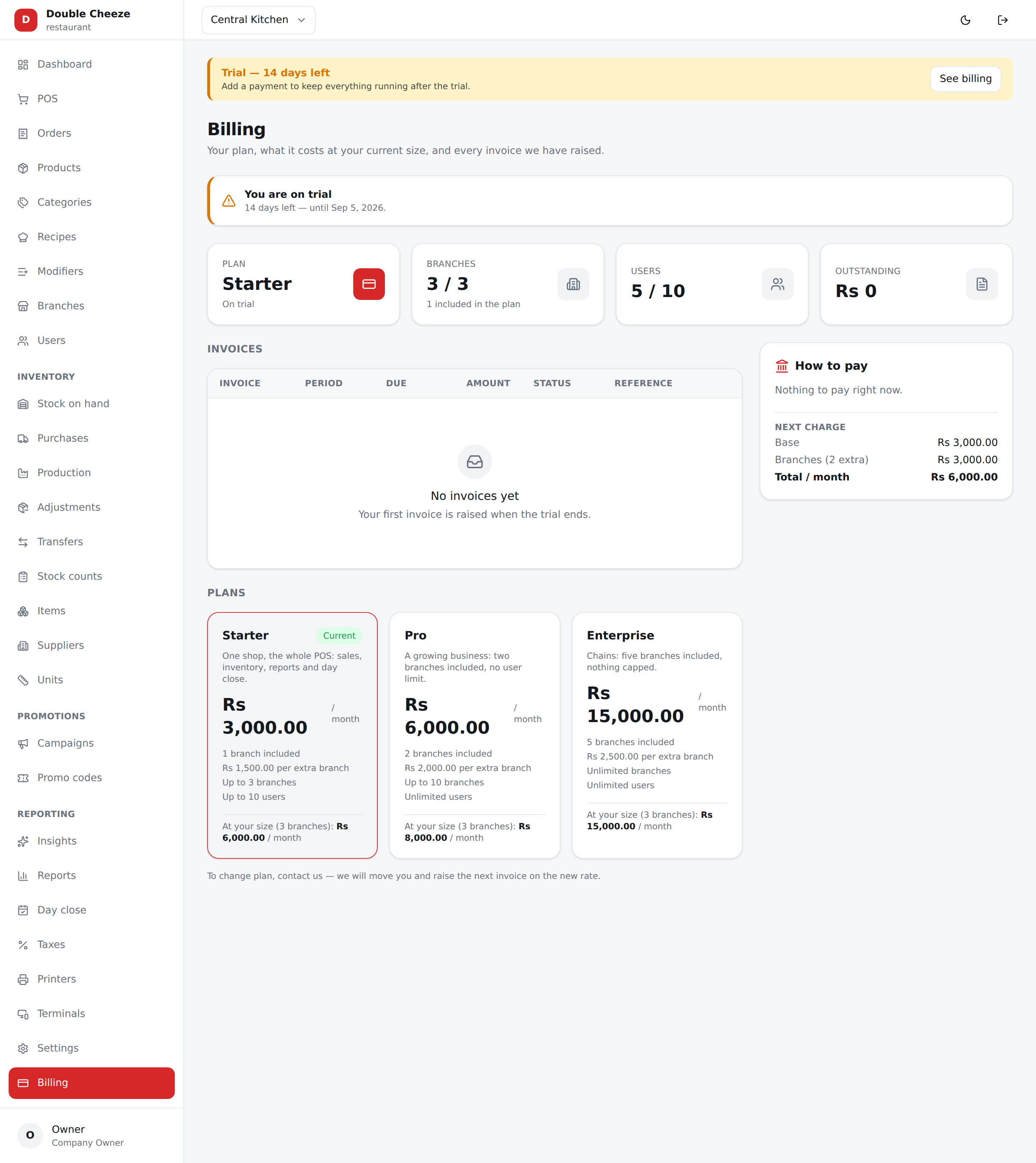
| Plan | Which plan you are on, and whether you are on trial, active or payment-due |
| What it allows | Branches, users and tills. A till past your plan's number is refused when it is approved, not hidden |
| Branches | How many you use out of what the plan allows |
| Users | The same for staff |
| Outstanding | What is unpaid right now |
Under that: your invoices, the plans priced at your current size, and a How to pay panel.
How a plan is priced
A plan charges both ways at once: a base price for the company, plus a price for every branch past the ones the plan includes.
Pro — Rs 6,000/month, 3 branches included, Rs 1,500 per extra branch
Five branches  →  6,000 + 2 × 1,500  =  Rs 9,000 a month
The Next charge box breaks it into base and branches so there is no surprise.
Paying
We collect by bank transfer, and a person confirms it:
- Transfer the invoice amount to the account shown in How to pay.
- Quote the invoice number (
SUB-2026-0001) as the payment reference. - Press I've paid on that invoice and enter your bank's transaction reference.
- We check it against our statement and mark it paid. The invoice stays Unpaid until we do — your reference is a claim, not a payment.
Trial, grace and suspension
- A new company gets a 14-day trial.
- When the trial or a paid period runs out you enter a grace period (7 days by default): the till keeps working and a banner appears on every admin screen.
- If grace runs out, the company is suspended — nobody can sign in until a payment is recorded.
We do not cut a shop off mid-service; that is what the grace window is for. But do not leave it to the last day.
What the counter sees
The banner on the admin screens is for whoever can pay. The till now says it too — on the POS and on its sign-in screen, on the Android and Windows app as well as in the browser — so a cashier who never opens the panel is not the last to know:
| When | What the till says |
|---|---|
| Trial, 7 days or fewer left | "The trial ends in 3 days — on 17 Mar." |
| Grace | "Payment is due. This till stops selling on 24 Mar — ring the owner." |
| Suspended | "This shop is suspended. Nothing can be sold until it is paid — ring the owner." |
Only one line shows at a time, and only the most urgent. A suspended company also refuses sign-in with the same sentence, rather than a password error a cashier would simply type past.
A till that has been offline
An Android or Windows till carries its own copy of the prices and keeps selling when the network is gone — but not for ever. After a day off the network it says so:
This till has not reached Sellify for 2 days. Connect it, or it will stop selling on these prices.
By default the prices go stale after 24 hours (pos.offline_max_bundle_age_hours)
and selling offline is then refused until the till has connected once. That limit is
measured against the last time this device actually reached us, not against the
tablet's own clock — so setting the date back does not extend it. A device whose date
has been moved backwards is told:
This device's date is behind the last time it reached Sellify. Set the date correctly, or connect it once.
and it will not take an offline sale until that is fixed. This is not officiousness: every offline sale carries the moment it was rung, and the server refuses one dated in the future or too far in the past — so a till with a wrong date takes money at the counter and has the sale rejected days later, which is the worst place to find out.
What you cannot do here
Changing your own plan, status or trial dates is not something the screen hides — the API refuses it. Ask us and we will move you; the new rate applies from the next invoice.
Who can do what sets out the rest, role by role.