
Stock
Commissary and production
Menu: Branches · Inventory → Items, Production, Transfers · Who: owner, branch manager
A commissary is a central kitchen: it makes things — dips, dough, marinades, sauces — and issues them to the shops. The shops then cook with them, sell them as they are, or both.
Sellify does not treat it as a different kind of business. A commissary is a branch with a tick box, production is one new document, and issuing is the transfer you already use.
A commissary counts as a branch on your plan, like any other.
The four pieces
| Piece | Where |
|---|---|
| A commissary branch | Branches → New branch → Commissary on. It cannot ring a sale |
| An item that is made | Inventory → Items → Made in batches on, and give it a recipe |
| A batch | Inventory → Production — raw material off the shelf, the finished item on |
| Issuing it | Inventory → Transfers, commissary → shop, exactly as between two shops |
"Made in batches" is the switch that matters
Every item that a recipe can use lives in one of two worlds, and this one tick box decides which:
| Off (the default) | On | |
|---|---|---|
| What it is | Notional — a name for a mixture | Real — you count it |
| Stock kept? | No | Yes, per branch |
| A recipe using it deducts | What it is made of (flour, oil) | The item itself |
| How it arrives | It never does | A Production, or a transfer |
So dough written as a plain prep item deducts flour and oil when a pizza sells. Tick Made in batches and the same dough is counted on the shelf: a pizza then takes 180 g of dough, and the flour left when the batch was made.
Turn it on when you want to count the thing, or when somebody else makes it — which is exactly what a commissary is.
Making a batch
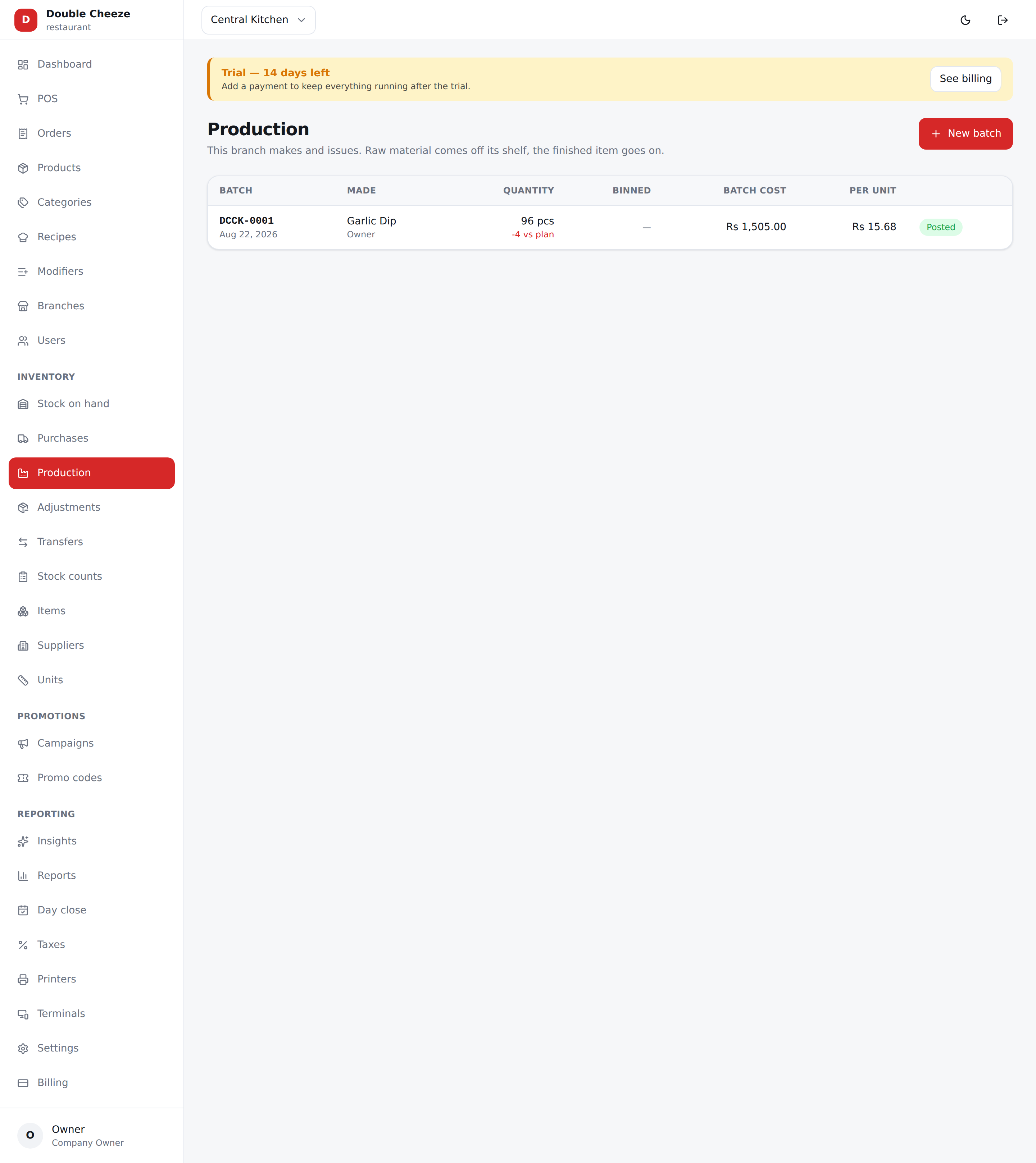
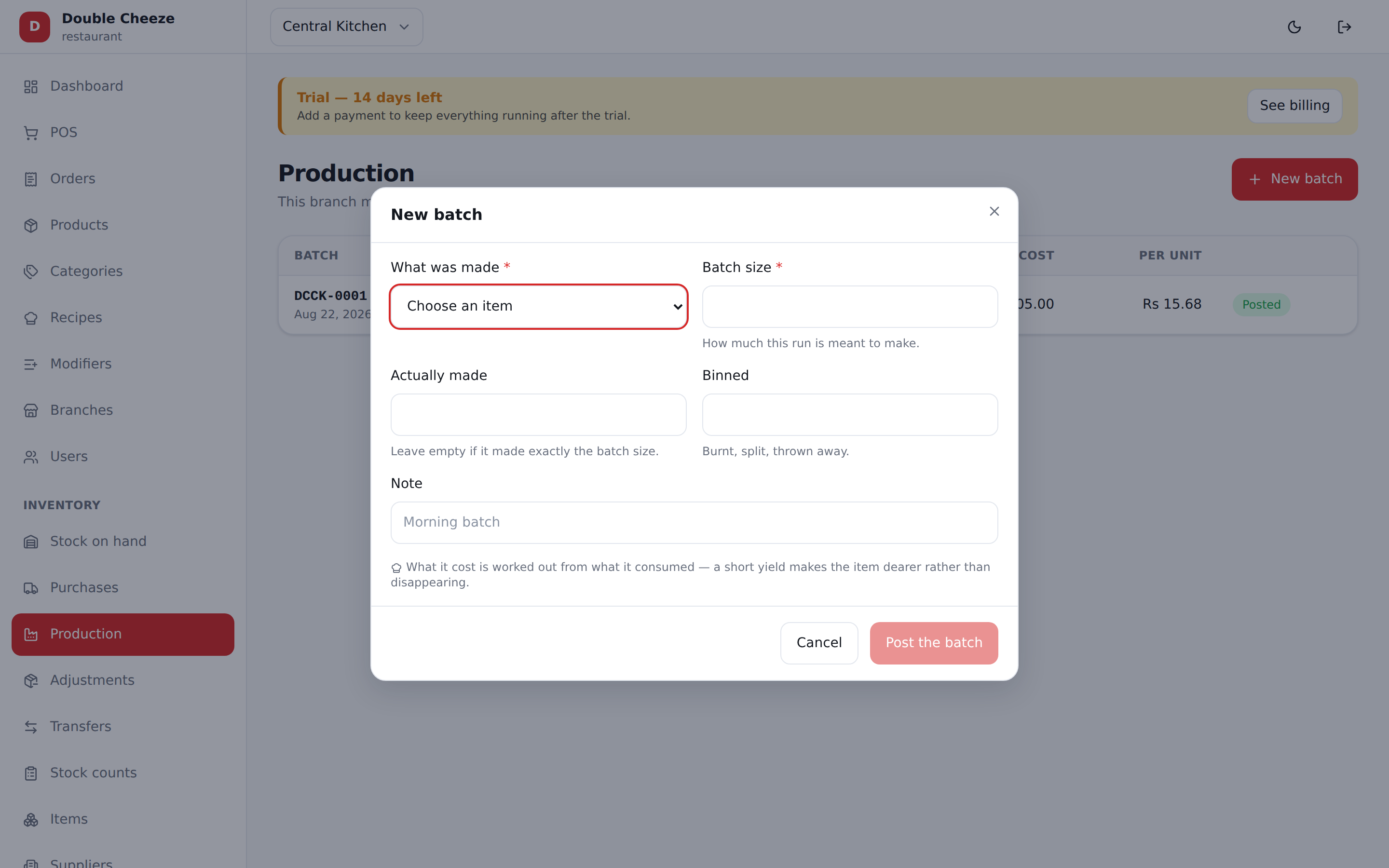
Inventory → Production → New batch
| Field | Notes |
|---|---|
| What was made | Only items with Made in batches on, and a recipe |
| Batch size | What this run is meant to make, in the item's own unit |
| Actually made | What really came out. Leave empty if it matched |
| Binned | Burnt, split, thrown away |
Before you post, This will consume shows exactly what the batch will take and what is on the shelf — the same figures the sale would use, so the two can never disagree.
What it costs is worked out, never typed
Batch of 10 kg dough
   Flour        7.14 kg × Rs 145   = Rs 1,035.30      (7 kg + 2% wastage)
   Cooking Oil  0.40 ltr × Rs 610  = Rs   244.00
                                    ───────────
   Batch cost                        Rs 1,279.30
   Made 9.6 kg, not 10               ÷ 9.6
   On the shelf at                   Rs 133.26 a kg
A short yield does not disappear — it lands in the unit cost, because a bad batch really does
make the item dearer. The screen shows −0.4 vs plan against the batch.
Issuing to a shop
A normal transfer, commissary → shop. Sending takes it off the commissary's shelf; the shop's own receipt puts it on theirs, at the cost it was made for.
If the commissary sells rather than shares, put an Issue price on the item (Inventory → Items). A branch is then charged that rate instead of what the batch cost, and it can be overridden line by line on the transfer. Leave it empty and everything moves at cost, which keeps food cost across the chain honest.
Pinning a commissary to its own branches. So a kitchen in one city cannot send a van to another by mistake, open the commissary under Branches → Edit and pick its branches under Issues to. Once even one is picked, that commissary can transfer to only those branches — the till hides the rest, and the server refuses any attempt to reach past them. Pick none and it keeps issuing anywhere, which is how a brand-new commissary starts. Turning the Commissary switch off clears the list.
Selling it over the counter as well
Something the commissary makes can also be a menu line — a dip at Rs 60:
- Create the product as usual (Products → New), with Track stock on.
- Inventory → Items → open the made item → set the menu line it is the stock of.
Now the counter and the kitchen come off one shelf: selling a dip and cooking a pizza that uses a dip both take from the same number.
What a commissary cannot do
Ring a sale. The POS refuses it — "Central Kitchen is a commissary — it issues stock to the branches rather than selling." It has no till, no cashier and no day close of the sales kind; it purchases, produces, transfers and counts.
The order to set it up
- Branches → the commissary, with Commissary ticked.
- Inventory → Items → the thing it makes, with Made in batches on (and an issue price if it charges the shops).
- Recipes → a recipe for that item, with what a batch yields.
- Purchases → raw material onto the commissary's shelf.
- Production → the first batch.
- Transfers → issue it to a shop.
- Recipes / Products → use it in a dish, or put it on the menu, or both.