
Setting up
Categories and Products
Menu: Categories, Products, Variant options, Modifiers · Who: owner, branch manager
Prices are company-wide: one menu serves every branch.
Categories
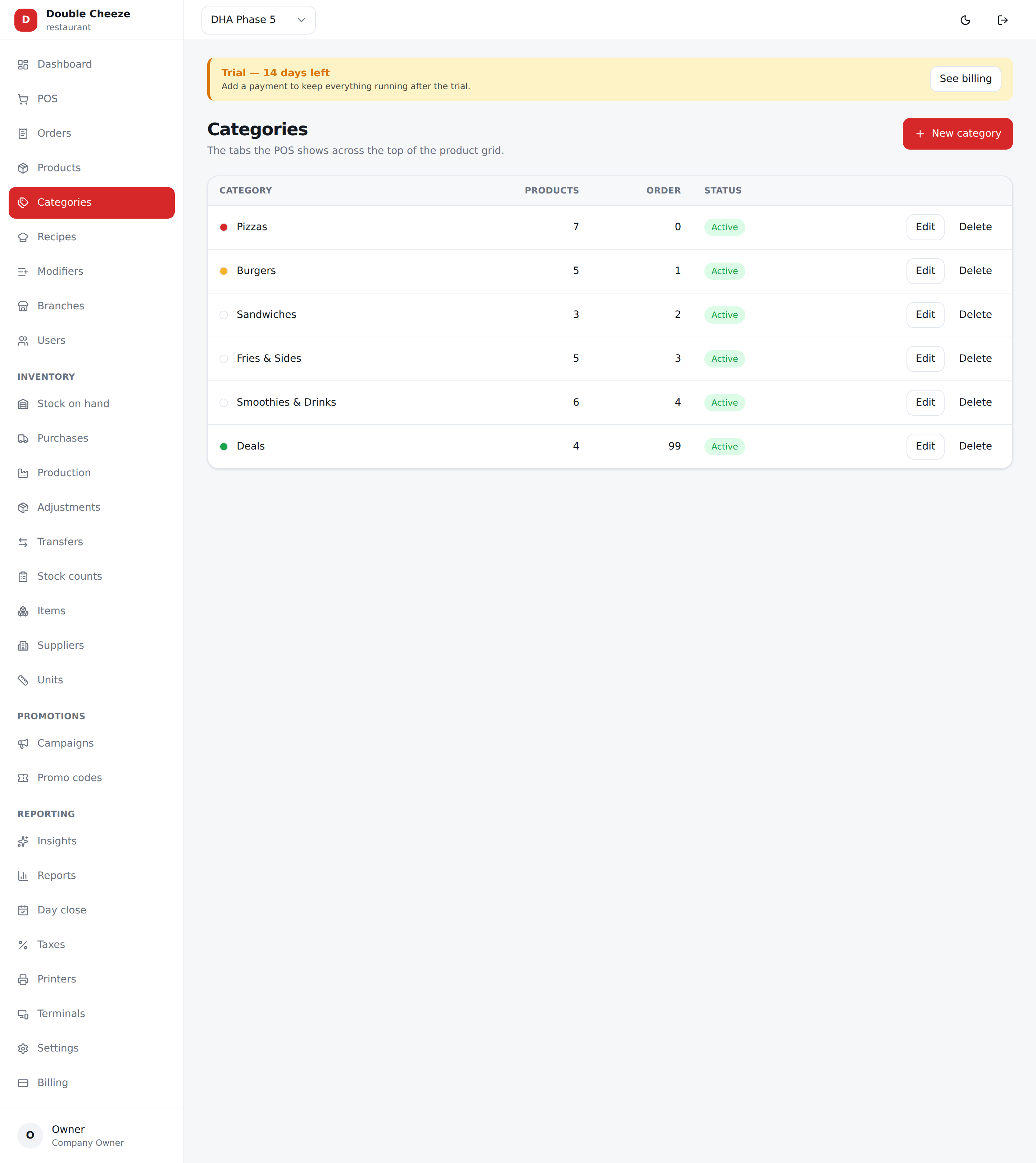
The tabs across the top of the POS.
| Field | Notes |
|---|---|
| Name | "Pizzas", "Beverages", "Grocery" |
| Description | Your own note, not shown at the till |
| Tab colour | Colours the tab in the POS grid |
| Sort order | Lower numbers first. Put your best sellers first — it saves taps all day |
| How the POS browses it | Grid of products is the normal till. Options first asks for the crust, then the size, then the flavour — see below |
| Show in the POS | Untick to keep a category for reports but hide it from the till |
Products
The one rule to understand
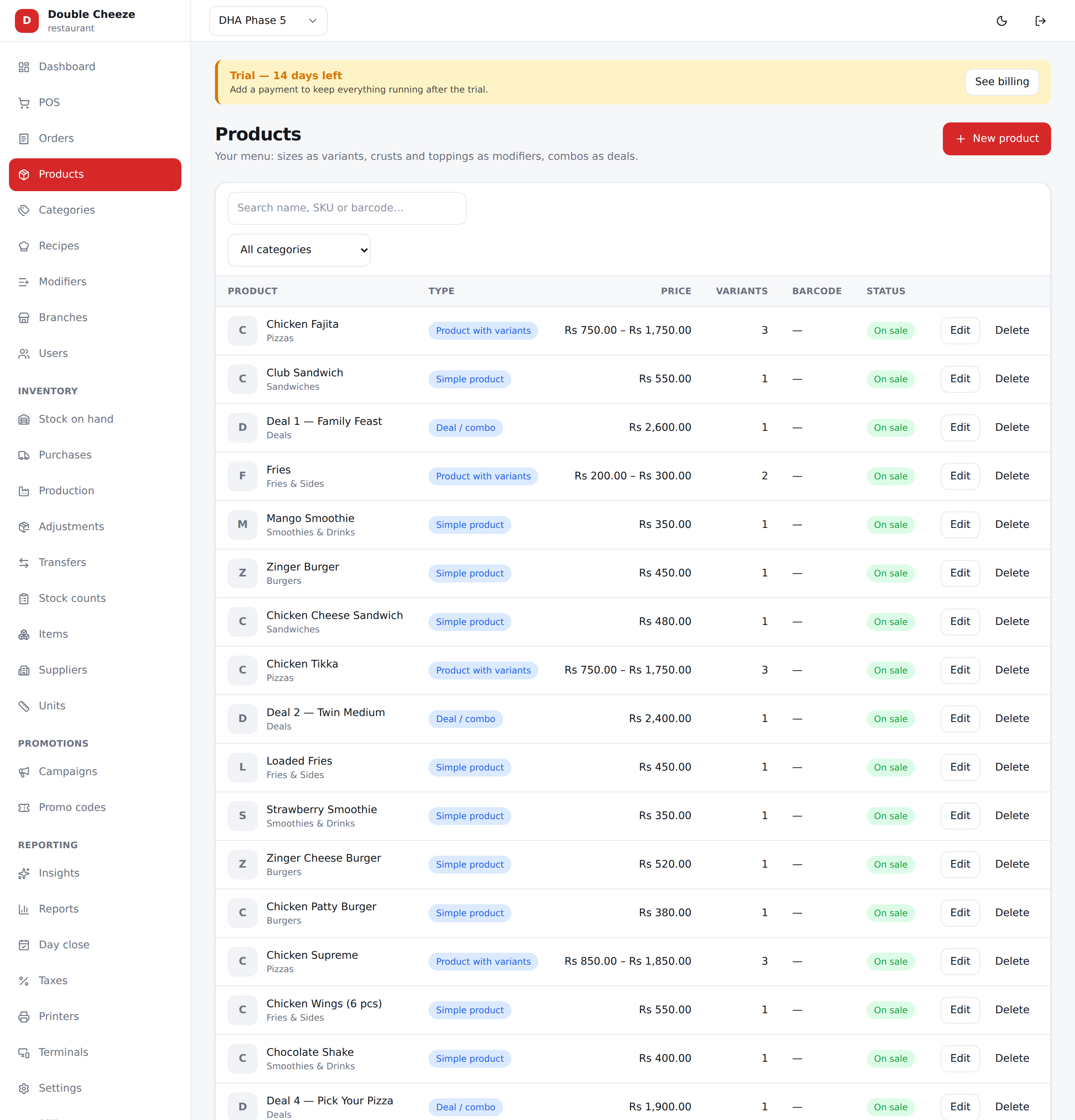
Nothing is sold off a product — a variant is what sells. A simple product still has exactly one variant, called "Regular", created for you. That is why the POS, the stock ledger and every report only ever deal with one shape.
Adding a product
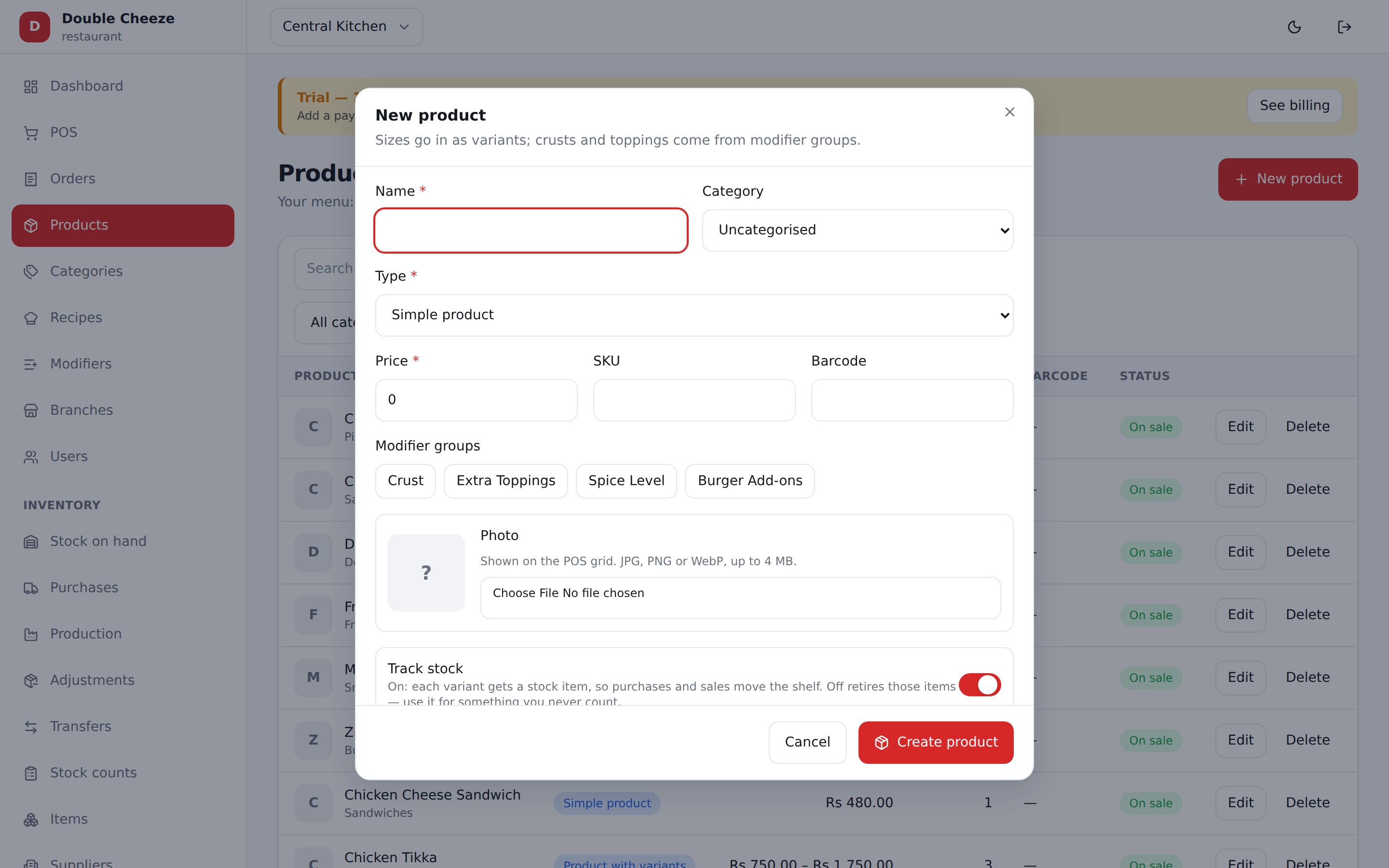
| Field | Notes |
|---|---|
| Name | What the cashier looks for |
| Category | Which POS tab it appears under |
| Type | Simple, Variant, Deal, or Service — see below |
| Photo | Shown on the POS tile; without one the tile shows the first letter |
| On sale | Untick to pull it off the till without deleting it |
| Track stock | On by default. On: each variant gets a stock item, so purchases and sales move the shelf. Off retires those items. Not shown for a deal or a service — those never hold stock of their own |
Changing many at once
Tick the box at the left of each row — or the one in the header to take every row on screen — and a bar appears above the table with what you can do to all of them:
| Put on sale / Hide | The same switch the form carries, on every ticked row |
| Move to category… | Files them all under one category. Uncategorised is on that list too |
| Delete | Confirms first. Soft, like every delete here: past orders keep what they sold, and writing the same product again brings it back |
Filtering or searching clears the ticks, because a count that outlives the list it was counted from means nothing. If one of the rows has gone since the page loaded — somebody else deleted it — the whole thing is refused and nothing changes. That is deliberate: doing thirty-nine of forty and saying it worked is how a line stays on the till that everybody believes came off it.
Only an owner or a branch manager sees the tick boxes.
Stock happens for you
Track stock is on for a new product, so saving a retail catalog creates a sellable stock item per variant and a 50-product catalog is stock-ready with no second round of data entry. Turn it off for something you never count — and the item it created is retired for you, so nothing is left half-tracked.
A deal or a service never holds stock of its own, so the switch is not offered for them: selling a deal deducts what is inside it.
The four types
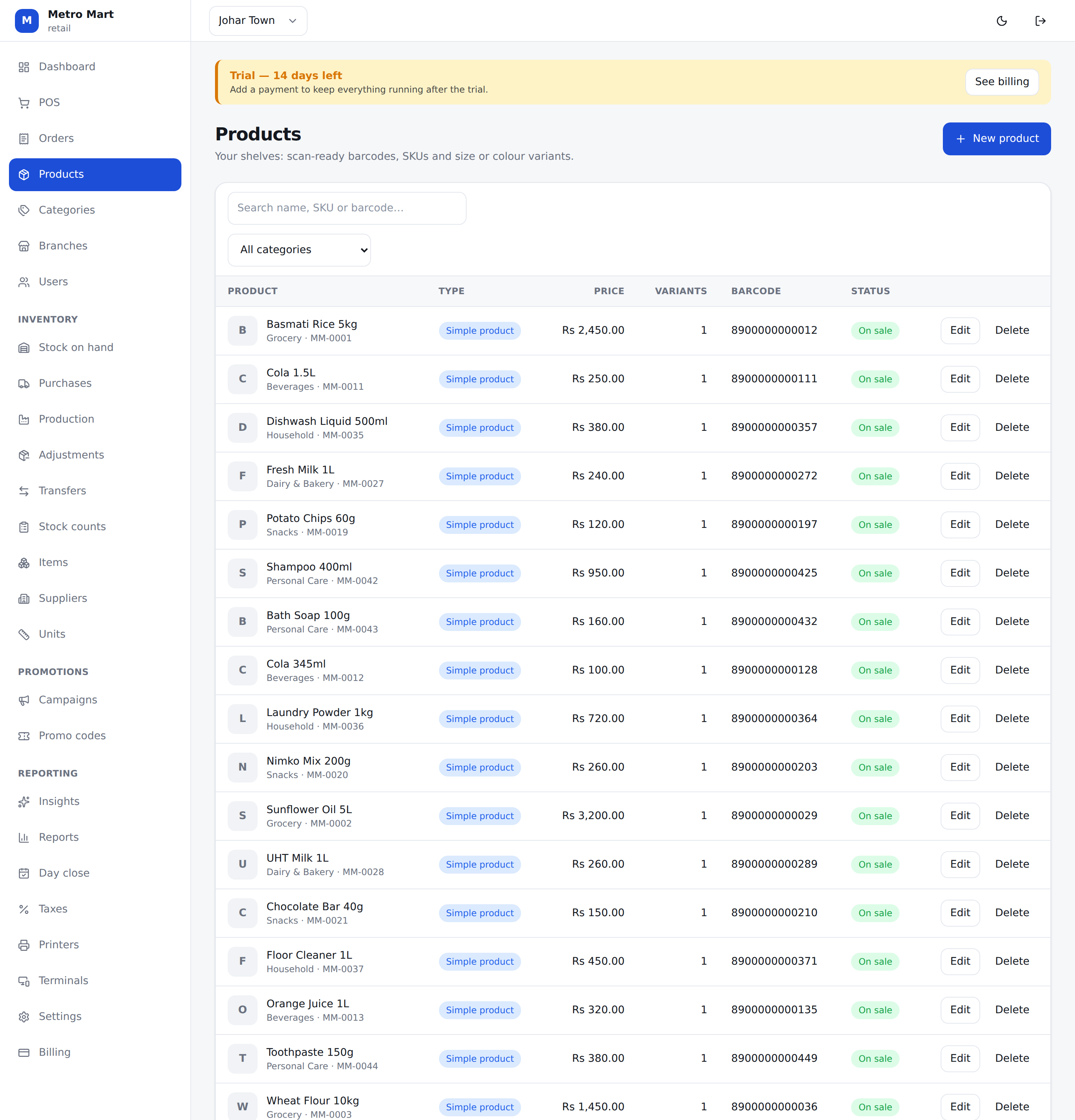
| Type | Use it for | Variants |
|---|---|---|
| Simple | One thing at one price — a Coke, a bag of rice | One, "Regular" |
| Variant | Sizes or flavours — Small / Medium / Large | As many as you like, each with its own price, SKU and barcode |
| Deal | A restaurant combo — 2 burgers + fries + drink | Holds no stock of its own; selling it deducts what is inside it. A line can be something the cashier chooses at the till |
| Service | Something with no stock — delivery, a repair charge | One |
Deals the cashier answers
A deal is a list of lines, and each line is one of two things:
- Included — a fixed item and a quantity. "1 x Large Fajita", "2 x Zinger Burger". Nothing is asked at the till.
- Cashier chooses — a name ("Pizza", "Drink"), how many to pick, and the list they pick from. The POS asks for it every time the deal is rung, and nothing is added to the cart until it has been answered.
Each choice can carry an extra charge: put 250 against "Double Cheeze Special" and picking it adds Rs 250 to the deal. Leave it at 0 and the deal price stands. Mark one choice as the Default and the POS pre-picks it, so the common deal is still one tap.
Whatever is chosen brings its own options with it — the crust and spice level of the pizza inside the deal are asked for too, and a paid option (extra cheese) is charged on top of the deal. What the customer pays is worked out by the server, never by the till.
Selling a deal takes what was ACTUALLY chosen off the shelf: pick the water and the water leaves, not the soft drink.
Variants
| Field | Notes |
|---|---|
| Price | What the customer pays (including tax if your taxes are inclusive) |
| SKU | Your own code, unique per company |
| Barcode | Scanned at a retail till. Unique per company — two companies may share a barcode |
Removing a variant hides it; past orders keep pointing at what they sold.
Variant options — when not every crust comes in every size
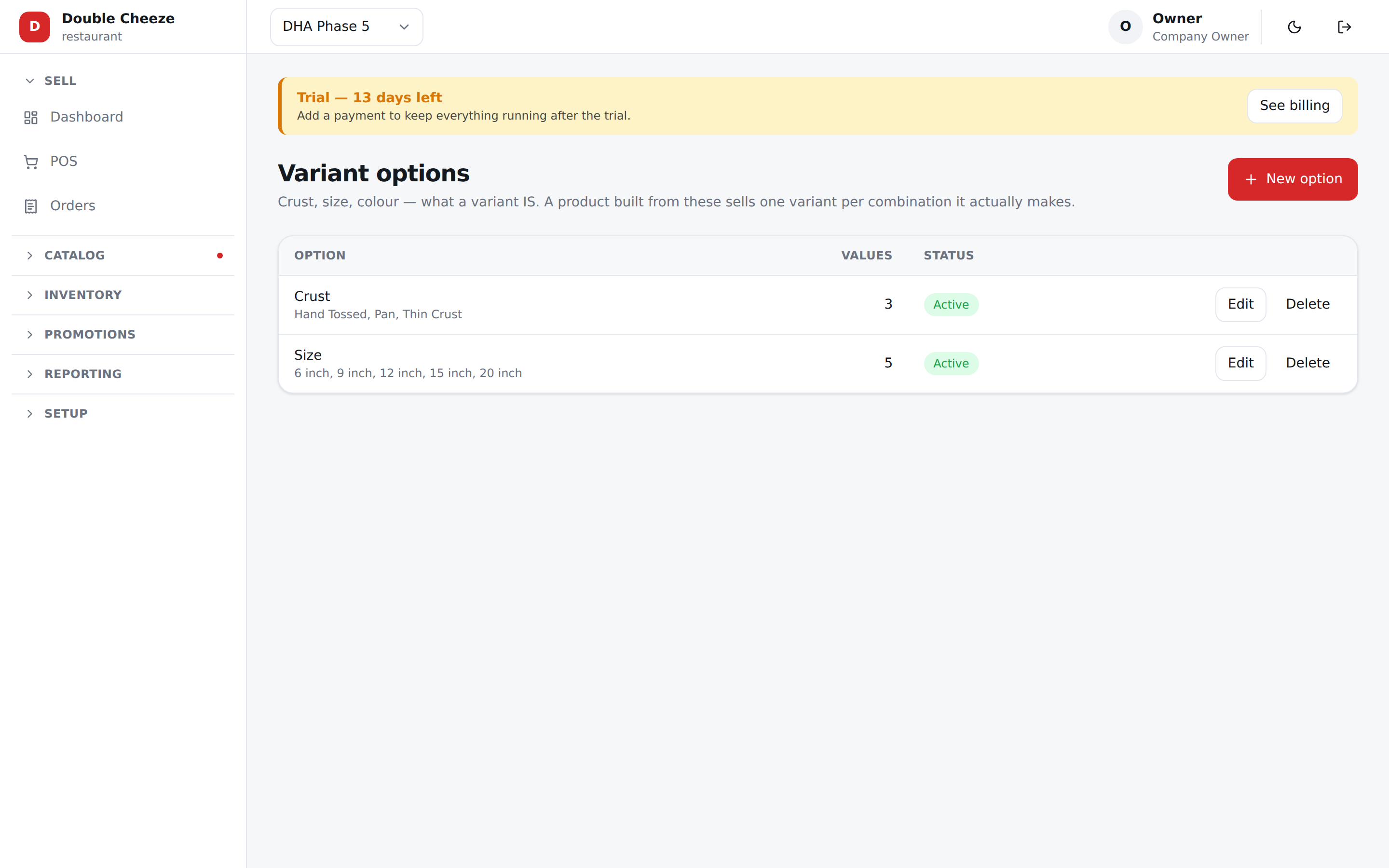
Menu: Variant options.
This is the pizza problem. Hot Chicken Muglai comes in three crusts and five sizes, but Pan stops at 12", Thin Crust starts at 9", and only Hand Tossed goes all the way. Fifteen boxes, ten of them real.
Sellify solves it by making the combination the thing you sell. Pan 12" is one variant, Thin Crust 9" is another, and Pan 20" is not there at all — so the till has nothing to grey out and nothing to refuse.
Step 1 — write the options once
Under Variant options, add:
| Option | Values |
|---|---|
| Crust | Hand Tossed, Pan, Thin Crust |
| Size | 6 inch, 9 inch, 12 inch, 15 inch, 20 inch |
Written once for the whole company. Every pizza reuses them. The order you list the values in is the order the POS shows them in.
Each value can carry a picture — tap the square to the left of its name. The till asks a many-variant product one axis at a time (the crust, then the sizes that crust is really made in), and it draws one tile per value, so a photo of the Pan base is worth the same as a photo of the pizza. Optional: a value without one shows its name, which is what every value did before.
Step 2 — price the grid
On a product of type Variants, pick Crust and Size under Built from options. The variant list turns into a grid:
| 6" | 9" | 12" | 15" | 20" | |
|---|---|---|---|---|---|
| Hand Tossed | 900 | 1400 | 1900 | 2600 | 3400 |
| Pan | 1000 | 1550 | 2100 | — | — |
| Thin Crust | — | 1450 | 1950 | — | — |
A box you leave empty is a combination you do not make. No variant is created for it, so it can never be sold, never appears at the till, and never needs a rule of its own. Ten prices typed, ten variants, and the four you skipped simply do not exist.
Each box names itself — Pan · 12 inch — so nothing is typed twice. Opens on picks which
combination the POS starts on.
Untick a box later and that variant is retired, not deleted: past orders still read correctly. Tick it again and the same one comes back, with its recipe and its stock item intact.
Step 3 — let the till ask in that order
Set the category's How the POS browses it to Options first. The cashier then taps:
Crust → Size → Flavour.
Each step only offers what you actually make. Tap Thin Crust and only 9" and 12" appear, because those are the only two Thin Crust variants on the menu. Change your mind on the crust and the sizes below it refresh.
Anything in the category that is not built from options — a garlic bread, a bottle of water — is still shown, as an ordinary grid underneath. Nothing is hidden.
Crust as an option, or as a modifier?
Both exist, and they are for different things.
The question to ask is: does the shop sell it as a line on the menu, or ask for it at the till?
| Use a variant option when… | Use a modifier when… |
|---|---|
| It is the pizza — Pan 12" is its own line on the menu, at its own price | It is an upgrade to the pizza the customer already chose |
| It has its own recipe — a pan base is not a thin base | It is added on top of that pizza's recipe |
| Some crust/size combinations do not exist at all | It exists, it is simply not offered on every variant |
A recipe belongs to a variant, so a crust that is made from scratch differently has to be a variant option. But a modifier is no longer the poorer choice: an option's charge and its ingredients can follow the size, and it can be linked to the crusts it is offered on — see Modifiers below.
Modifiers (restaurants only)
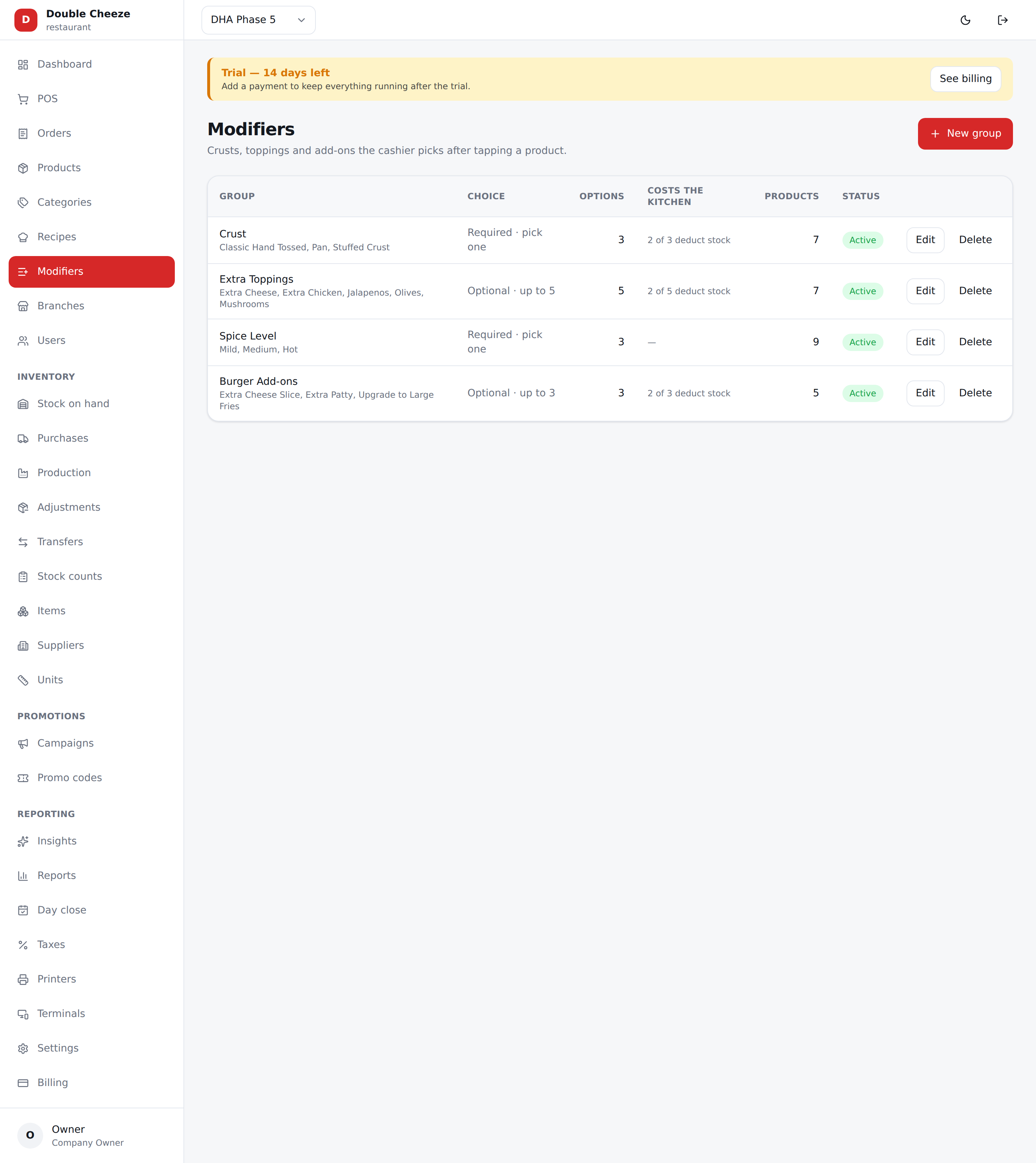
Menu: Modifiers. Options attached to a product: crust, size of drink, extra cheese.
| Field | Notes |
|---|---|
| Group name | "Crust", "Add-ons" |
| Minimum choices | 1 makes it compulsory |
| Maximum choices | 1 turns it into a radio button — picking another replaces the first |
| Cashier must choose | The options popup will not close until they do |
| Options | Each has a name and a price difference — + Rs 150 for extra cheese, 0 for "no onions" |
| Takes off the shelf | The ingredients this option consumes — none, one, or several. Add a row per ingredient |
| Ingredient / Qty / Unit | Same as a recipe line: 80 g of a cheese stocked in kg |
| Default | Ticked = already chosen when the popup opens, so the common order is one tap |
| Offered on | Leave everything unticked and the group is asked on every variant. Tick a crust and it is only asked on that crust |
| Price by | A price per size (or per crust). Leave it empty and the option charges the same everywhere |
| For (on an ingredient row) | Which variants that row is for — Every variant, or one size or crust |
| Display name | What a customer reads, if it differs from what the shop calls it |
| Picture | Shown beside the name on the till — never instead of it |
Two names for one option
The stock room calls it EXTRA CHEESE 60G because that is what the recipes and the purchase orders know it by. A customer should read Extra cheese.
So an option has both. Name is the shop's own word for it; Display name is what the till, the receipt and the kitchen slip print. Leave the display name blank and the two are the same thing, which is what every option written before this existed means.
The order remembers the name the customer read, like every other figure on a line — so renaming an option next month never rewrites what was handed over the counter, and the receipt and the kitchen ticket can never disagree about what was sold.
An option that costs the kitchen too
"Extra cheese" charges Rs 150 and takes 50 g of mozzarella. That deduction is on top of the dish's own recipe, and it scales with the line:
2 × Chicken Fajita 6" with Extra Cheese
  recipe      90 g × 2  = 180 g
  extra cheese 50 g × 2  = 100 g
                        ─────────
  mozzarella off the shelf 280 g   (one stock ledger row)
The same happens to an option chosen on something inside a deal — it scales with that component's own count as well.
An option can consume more than one thing
A stuffed crust is cheese and extra dough, so give it two rows:
Stuffed Crust   + Rs 250
   Mozzarella Cheese   80 g
   Pizza Dough         50 g
There is no limit of two. An option holds as many rows as it really takes — up to 20 — and they can mix freely: some rows written for a size, some for a crust, some for nothing in particular. A row left on Every variant applies on all of them, so this is a perfectly ordinary option:
Stuffed
   Mozzarella Cheese  100 g   for  12 inch     ← follows the size
   Mozzarella Cheese   60 g   for  9 inch
   Pizza Dough         60 g   for  Pan         ← follows the crust
   Pizza Dough         50 g   for  Hand Tossed
   Chicken Breast      45 g   Every variant    ← always
   Cooking Oil         10 ml  Every variant
A Pan 12 inch takes four of those rows: 100 g cheese, 60 g dough, 45 g chicken, 10 ml oil.
Anything you do not want to spell out on the option — a filling made of several things — is better written as a prep item with its own recipe (see Recipes); point the option at that one item and it explodes into its parts.
An option that belongs on some variants only
A stuffed crust is not sold on a thin base. Under Offered on, tick the crusts it belongs on and the group simply is not asked anywhere else — the cashier never sees it, and the API refuses it if something tries.
- Tick two values of the same option (Pan and Hand Tossed) and either of them will do.
- Tick values of two different options (Pan and 12 inch) and both must match.
- Tick nothing and it is asked everywhere. That is how every group behaved before this existed, and it still does.
An option whose price follows the size
A stuffed crust is not one price. Under Price by, write a row per size:
Stuffed         base price 0
   9 inch    + Rs 150
   12 inch   + Rs 300
   15 inch   + Rs 400
The size the cashier chose decides which line is charged; a size with no line of its own falls back to the option's own price. A price can only vary one way — by size or by crust. Sellify refuses a price written against both, because a Pan 12 inch would match two rows and neither would be right.
An option whose ingredients follow the size AND the crust
Ingredients are different: they are written row by row, so one option can vary several ways at once. That is how a stuffed crust is actually made — the cheese goes by size, the dough goes by crust:
Stuffed
   Mozzarella Cheese   60 g   for  9 inch
   Mozzarella Cheese  100 g   for  12 inch
   Pizza Dough         60 g   for  Pan
   Pizza Dough         50 g   for  Hand Tossed
A Pan 12 inch takes the 12 inch cheese row and the Pan dough row — 100 g of cheese and 60 g of dough, which then explodes into flour and oil. A Hand Tossed 9 inch takes 60 g and 50 g.
Rows for different ingredients all apply together. Among the rows for the same ingredient, the one written for a value the pizza actually is beats the row marked Every variant. Two rows for the same ingredient on two different options — cheese for 12 inch and cheese for Pan — are refused, for the same reason a price cannot vary two ways.
Prep items are welcome here
An ingredient that is itself made by a recipe explodes, exactly as it does inside a
recipe: Pizza Dough 50 g never comes off a dough shelf — it becomes flour and oil. So a
crust option costs the shelf the same way the pizza does.
When the same thing arrives twice, it is added up, not replaced. If your option lists 10 ml of cooking oil and takes dough that is itself part oil, the shelf gives up both — 10 ml plus the 2.4 ml hiding inside the dough is 12.4 ml. That is what the kitchen really used, so that is what comes off and what the food cost is worked out on.
Two more rules worth knowing:
- The unit list only offers units that convert into how the item is stocked (g for a kilo, ml for a litre) — anything else would write a deduction the shelf cannot take.
- An option with no ingredients is not a mistake. A spice level usually costs nothing extra to make; leave its list empty.
The Modifiers list shows 2 of 5 deduct stock per group, so you can see at a glance which
groups are only charging money.
A company without the restaurant flag cannot create modifiers or deals at all — the API refuses them, not just the screen.
A deal that offers a whole size of the menu
A choice line inside a deal can either list what it offers, or describe it:
| These items | Pick each variant by hand — right for "Coke or Sprite" |
| Anything matching | A category and the option values it must carry — right for "any 9 inch pizza" |
On the product form, a deal line offers three buttons: Included, These items and Anything matching. Pick the last one and the line asks what it should reach:
Ask for: Pizza            How many: 1

From: Pizzas                          ← empty = the whole menu
CRUST — none ticked means any    [Hand Tossed] [Pan] [Thin Crust]
SIZE  — none ticked means any    [6"] [9"✓] [12"] [15"] [20"]

Offers 3 items today — and whatever is added later.

Upgrade charge:  ● Per option    ○ From the price difference
   Crust · Pan  [100]
The line under the chips is the one to watch: it counts what the rule reaches right now, so a rule that offers nothing is obvious before you save it — and the API refuses that one anyway.
Two things follow, and both save real work:
- A flavour added to the menu next month is in the deal that day — nobody edits the deal.
- A combination the shop does not make can never be picked, because it has no variant.
The upgrade charge is written one of two ways:
- Per value — Pan +100. Charges on different axes add up (a Pan 12 inch pays both).
- Automatic — the difference from the cheapest thing the line offers. Hand Tossed 9 inch at 1,400 is included, so a Pan at 1,550 costs +150 with nothing to maintain.
At the till the cashier is asked crust, then flavour — two taps instead of hunting through forty-eight buttons.
Common mistakes
- Two variants with the same name. Give each a real name; "Regular" is reserved for the automatic one.
- A deal with no items inside it. It will sell for its price and deduct nothing.
- A choice line with no name. The till has nothing to ask for, so the API refuses it.
- Putting a whole deal inside another deal. Refused — a deal has no contents of its own to explode, so the kitchen would get an empty ticket.
- Forgetting Track stock on retail products. Without it there is no stock item, so the shelf never moves when you sell.
- Trying to mark a combination "unavailable". There is no such switch. Leave the price box empty — a combination with no price is a combination that does not exist.
- Making crust a modifier when it changes the price by size. A modifier adds the same charge to every size and cannot carry its own recipe. Use a variant option.
- Setting a category to Options first when nothing in it is built from options. The till simply falls back to the grid — harmless, but it did nothing.