
Selling more
Campaigns and promo codes
Menu: Promotions · Who: owner, branch manager
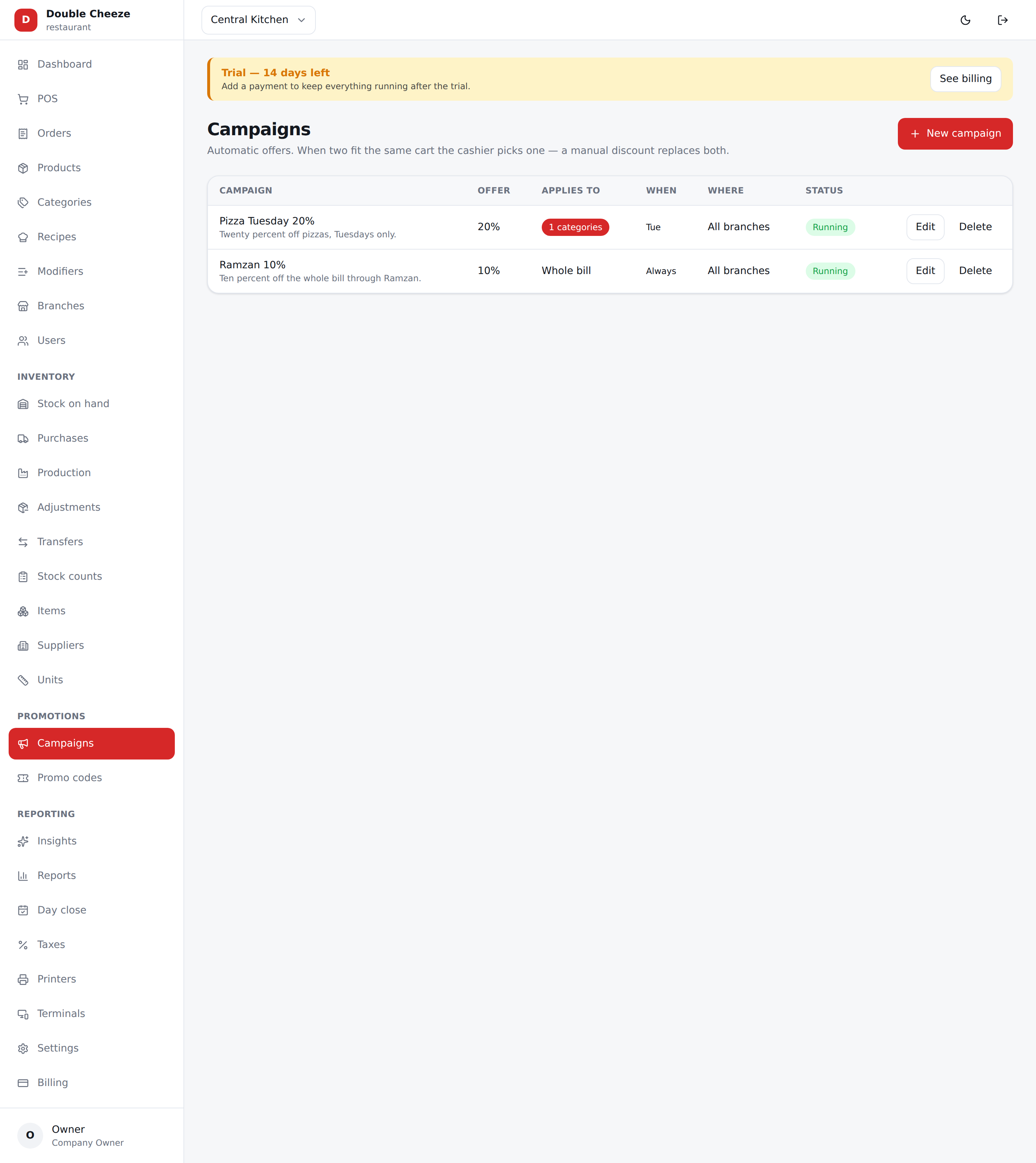
Two kinds of offer. A campaign applies itself; a promo code is asked for by name. Both are decided in one place, so they can never double up by accident.
Campaigns
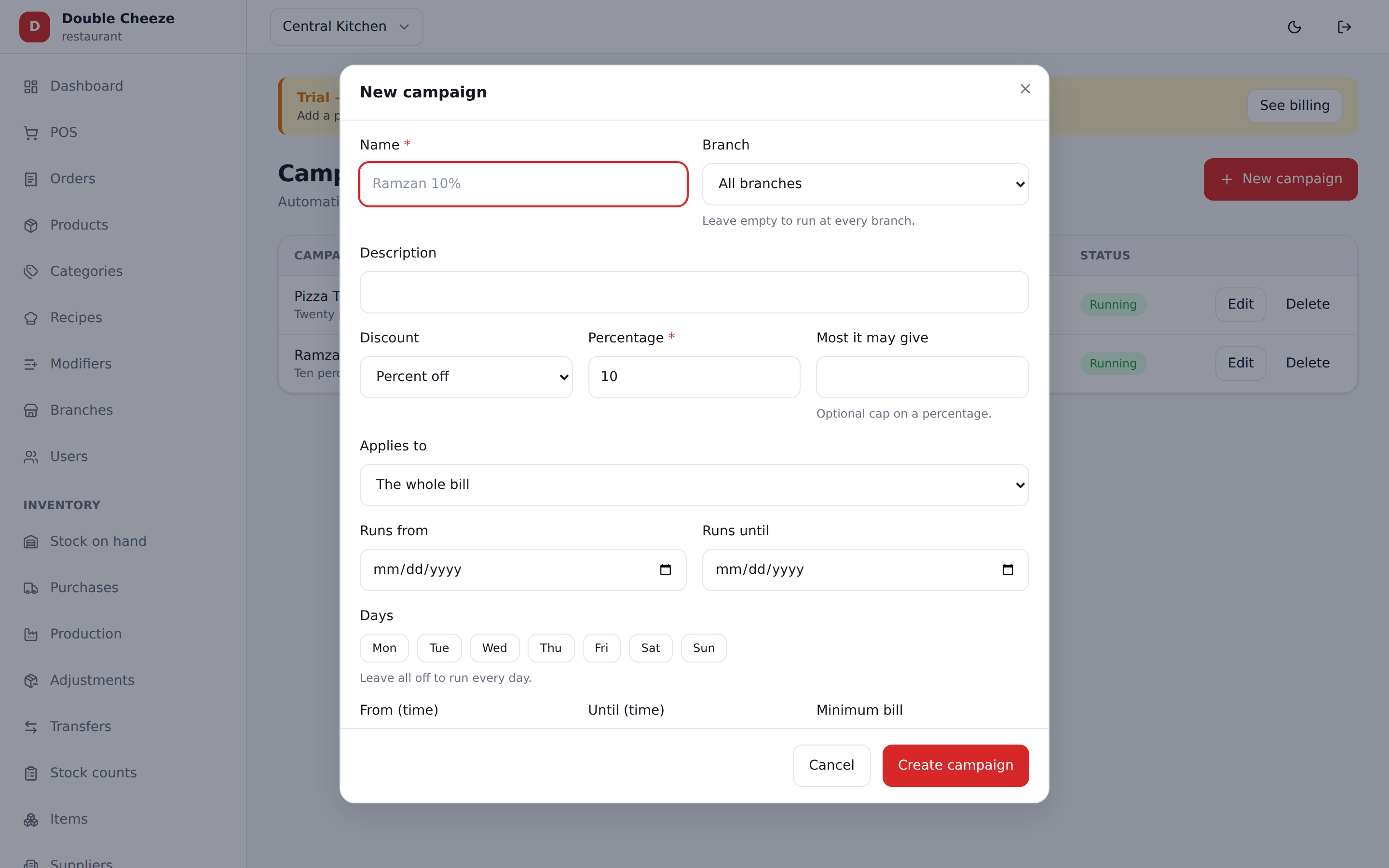
| Field | Notes |
|---|---|
| Name | What the cashier and the receipt see: "Ramzan 10%" |
| Branch | Empty = every branch |
| Discount + value | Percent off, or an amount off |
| Most it may give | A cap on a percentage — "20% off, up to Rs 500" |
| Applies to | The whole bill, only these categories, or only these products |
| Runs from / until | Dates |
| Days | Tuesdays only, weekends only. All off = every day |
| From / Until (time) | Happy hour, in the branch's own clock. A window that ends before it starts (22:00 → 02:00) runs through midnight |
| Minimum bill | Checked against the whole bill |
| Order types | Delivery only, dine-in only… all off = every type |
Scope decides what it touches
- Whole bill — everything in the cart is discounted.
- Categories / products — only the qualifying lines. "20% off Pizzas" never touches the cola sitting next to it.
When two campaigns fit
Nothing is applied. The POS shows PICK AN OFFER with each campaign and what it is worth, and the cashier asks the customer. A single eligible campaign applies itself with a badge.
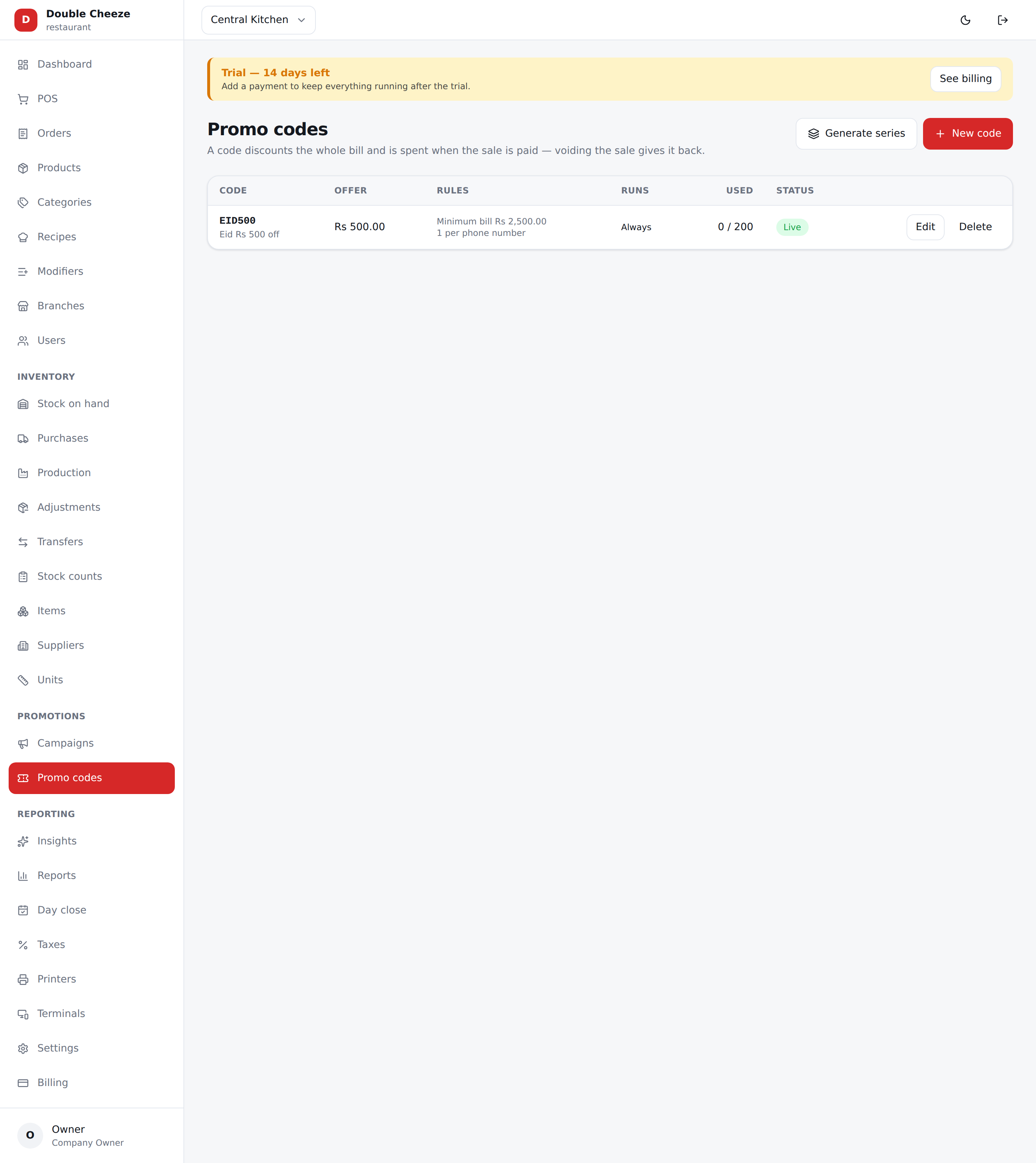
Promo codes
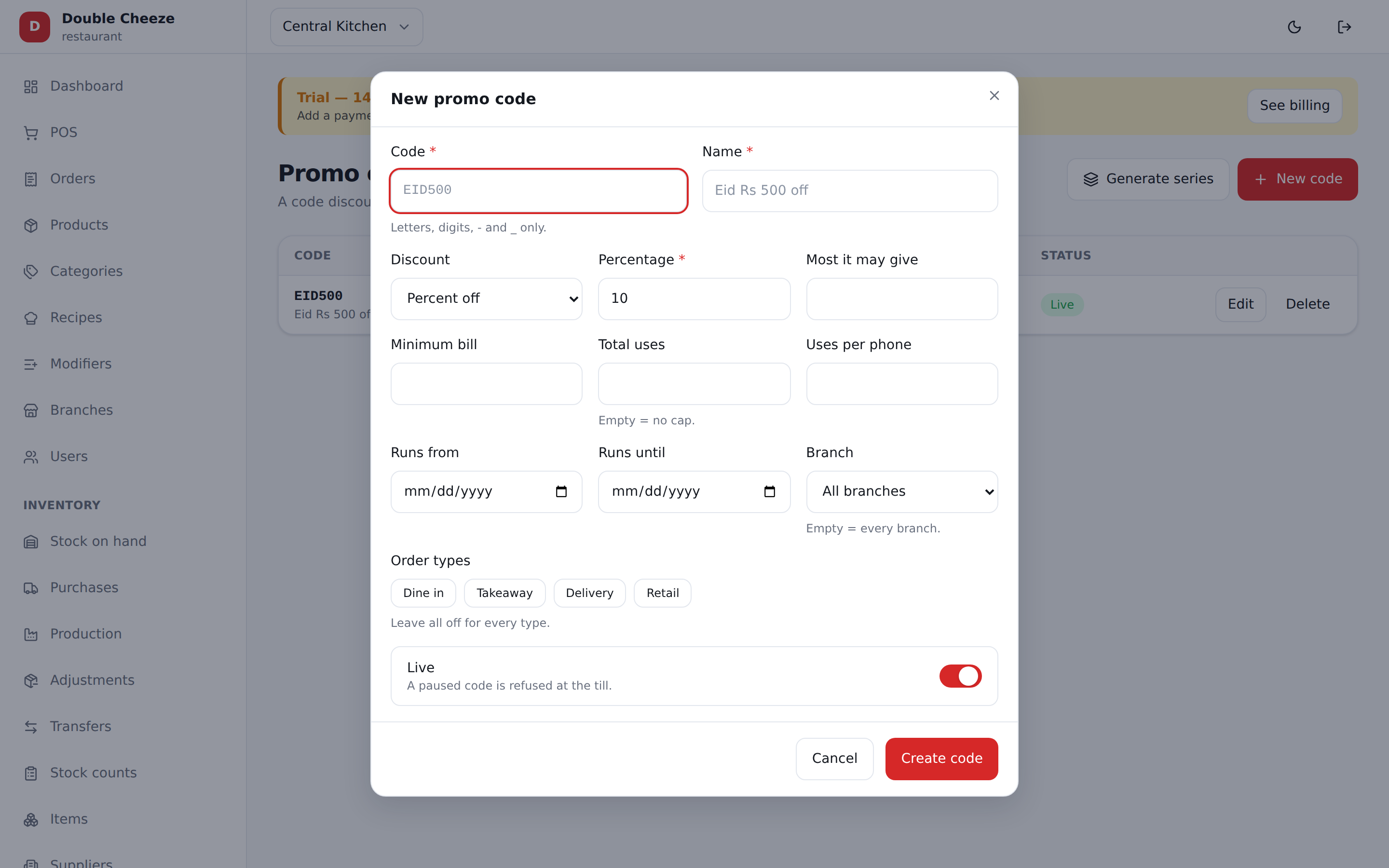
| Field | Notes |
|---|---|
| Code | EID500. Letters, digits, - and _. Unique in your company — another company may use the same code |
| Name | What the receipt prints: "Eid Rs 500 off" |
| Discount + value, Most it may give | As above |
| Minimum bill | "Rs 2,500 se ooper" |
| Total uses | The whole run. Empty = no cap |
| Uses per phone | One per customer. Needs the customer's phone on the order |
| Runs from / until, Branch, Order types | As above |
A code discounts the whole bill. Line-scoped offers are campaigns, not codes.
When a code is spent
When the sale is paid — not when it is quoted, and not when the order is held. Voiding the sale gives the use back. The Used column counts from the record of actual uses, never from a number someone typed.
Writing a deleted code again starts a new run of it: its caps count from that moment, and the old uses stay in the reports.
A series of codes — XMAS001 to XMAS500
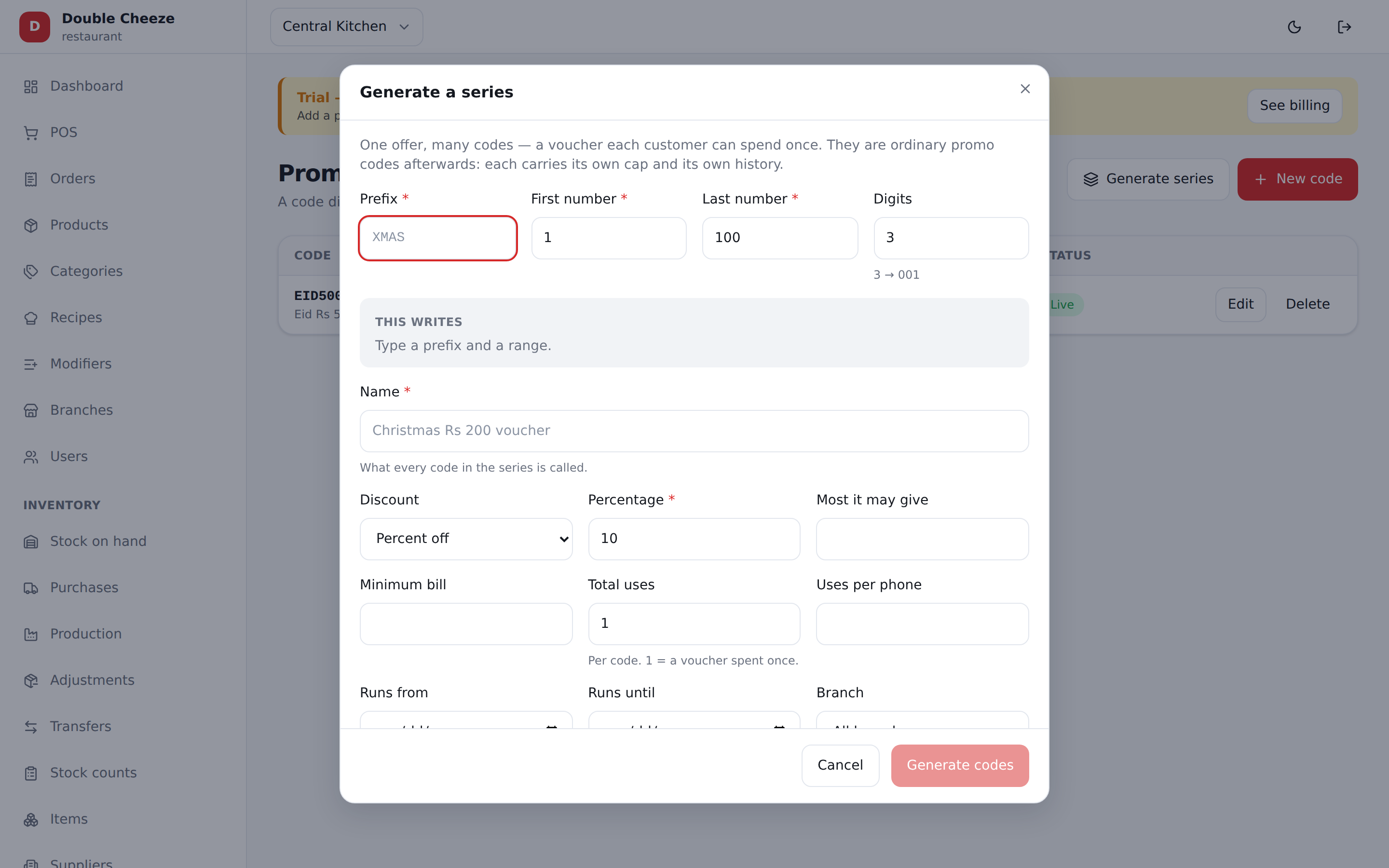
One code at a time is right for EID500, the code you print on a banner. A voucher is
the other shape: a different code for every customer, each one good for a single use.
Generate series writes them all in one go.
| Field | Notes |
|---|---|
| Prefix | The word in front — XMAS. Letters, digits, - and _ |
| First / Last number | The range. 1 to 500 gives five hundred vouchers |
| Digits | How the numbers are padded. 3 → XMAS001; 4 → XMAS0001 |
| Name | What every code in the series is called, and what the receipt prints |
| Everything below | The one offer every code in the series carries — discount, minimum bill, dates, branch, order types |
Total uses is per code, and it starts at 1 — a voucher spent once. Set it higher if one voucher may be used more than that; empty means no cap on each code.
This writes shows exactly what will be written — the first code, the last code and the count — before you press anything. Up to 2,000 codes at a time; run it again for the next block, with the same prefix, starting where you left off.
Once a series exists
It is listed as one line, not five hundred, and each code inside it is an ordinary promo code with its own cap and its own history. On the series line:
| Codes | Opens the list, with a search box — type XMAS24 to find that voucher and see whether it has been spent |
| CSV | Downloads every code in the series, to mail-merge onto cards or send out |
| Pause / Restart | Stops or restarts the whole series at once |
| Delete | Retires every code in it. Sales that used one keep their discount |
Used / left on the line counts the vouchers actually spent, so you can see a print run being redeemed.
If a code in the range already exists
Nothing is written. The message names the codes that clash — "XMAS001, XMAS002, XMAS003 and 7 more already exist" — and you either change the prefix or start the numbering higher. A live voucher is never quietly overwritten, because the cards are already printed.
A whole series that was deleted and written again is a new run, exactly like a single code: the old spends stay in the reports and this run's caps start at zero.
Which offer wins
- FOC writes the whole order off and stops.
- A manual discount replaces any automatic offer.
- Otherwise the customer gets whichever is worth more — unless
Allow a promo code and a campaign togetheris on, in which case the campaign lands first and the code works on what is left.
A campaign or a code never needs a manager PIN. And the company discount cap trims an over-generous offer instead of refusing the sale, because a mispriced offer must not stop the till.
Seeing what worked
Reports → Promotions shows every campaign and code with the orders it brought, what it gave away, that as a share of gross, and the average order it produced.